AI Operations Sprawl: Why More AI Tools Slow Agencies Down
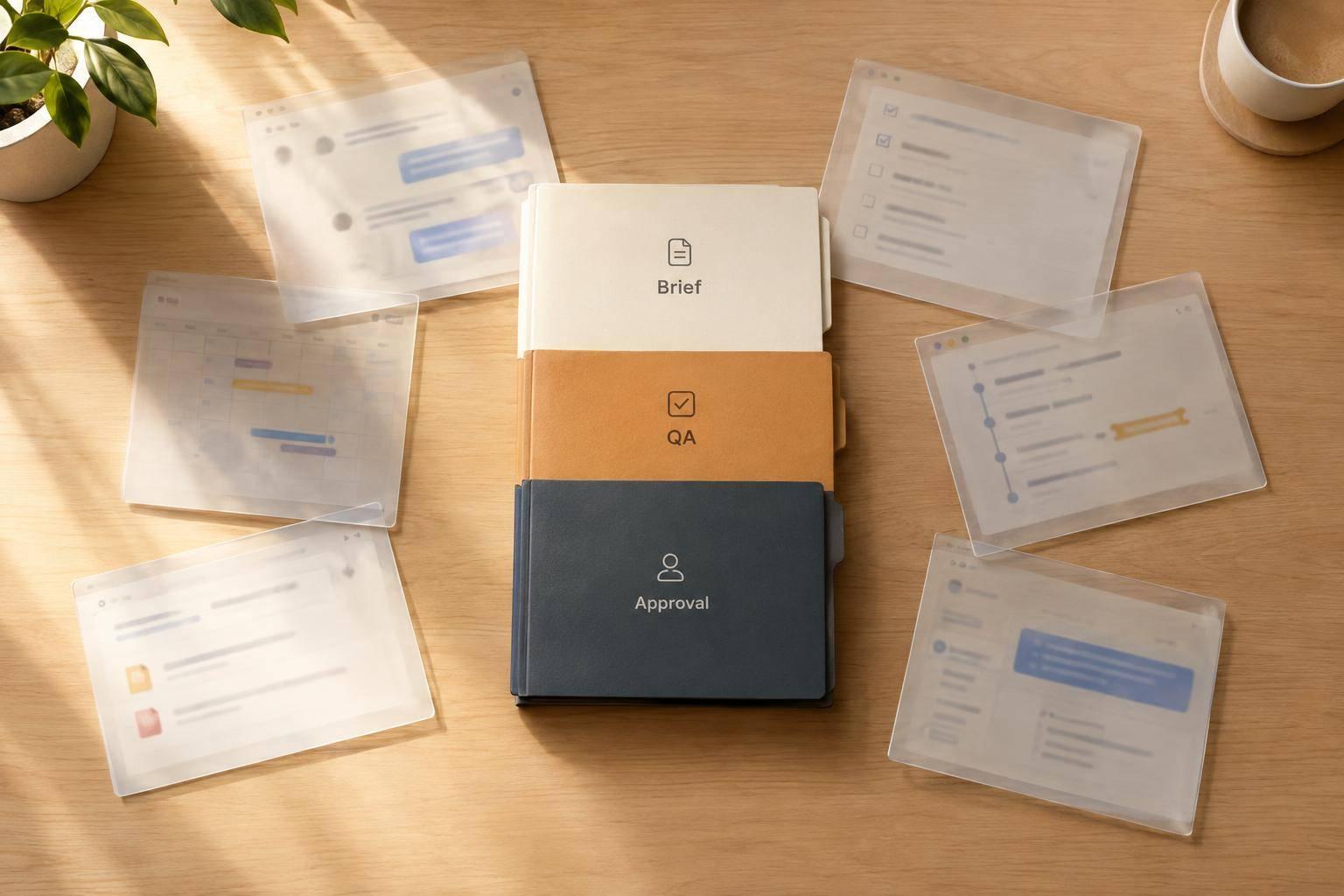
More AI tools slow agencies down when client context gets split across apps, leaving managers to check drafts and chase approvals. I would fix that gap before buying more tools: keep 1 shared brief, name 1 QA owner, and set 1 approval path so faster drafts mean less work.
The lesson: fix the handoffs, not just the writing. Keep tools that save staff time. Drop repeat briefings and extra versions. Test the change on 1 service, and count added capacity only if quality holds and staff hours do not rise.
Agile Growth Labs (AGL) calls this Portable Delivery Intelligence: a system that keeps client context, rules, and delivery checks with the work. AGL’s stated target is 18–25 accounts per manager, compared with the article’s cited 4–8 range. That is a target, not a promised result.
Next step: Run the free calculator.
How to Automate a Content Workflow With AI Agents
sbb-itb-9cd970b
How AI Sprawl Cuts Accounts per Person
AI Workflow Sprawl vs. Connected Delivery
AI sprawl cuts accounts per person by making managers move client context between tools, compare drafts, and chase approvals. In fragmented workflows, account managers often cap at 4 to 8 accounts because that coordination work grows faster than AI cuts drafting time.[3][4]
Where Coordination Work Adds Up
The slowdown starts in routine handoffs, not just big projects.
When a draft moves through ChatGPT, Claude, and Gemini, the manager spends time reconciling edits instead of shipping work. The same drag appears when dates, figures, and client comments are split across Google Drive, Slack, email, and Asana.
The problem is not a lack of AI tools. It is context that does not travel with the work.
When client rules stay in senior staff heads, new hires take longer to get up to speed. Account managers must keep asking which exceptions apply. Log each exception with an approved example and a trigger that shows when to use it.
Portable Delivery Intelligence is the system Agile Growth Labs (AGL) installs to keep client context, rules, and delivery checks with the work.
Compare Time Before and After Workflow Changes
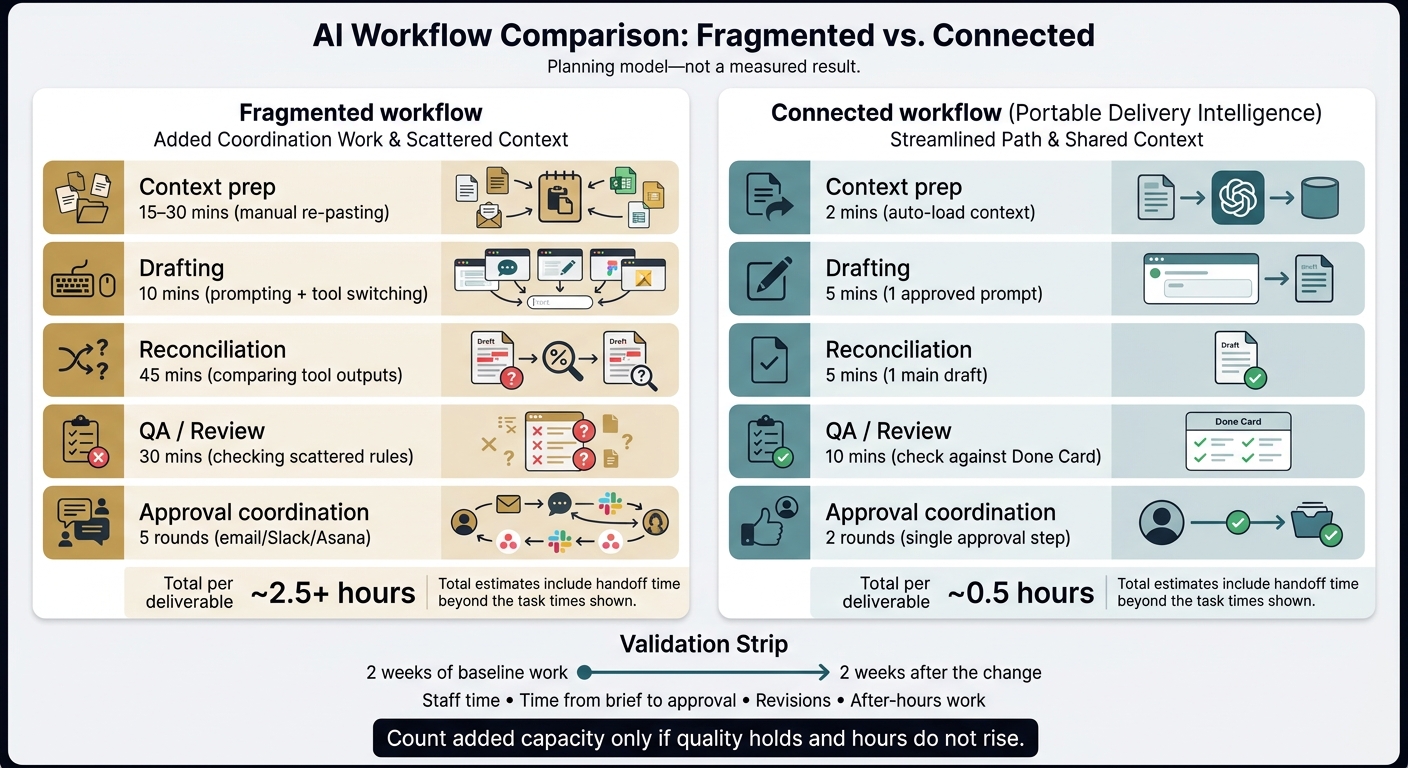
Use this table as a planning model, not a measured result. The total estimates include handoff time beyond the task times shown.
| Workflow stage | Fragmented workflow | Connected workflow (Portable Delivery Intelligence) |
|---|---|---|
| Context prep | 15–30 mins (manual re-pasting) | 2 mins (auto-load context) |
| Drafting | 10 mins (prompting + tool switching) | 5 mins (1 approved prompt) |
| Reconciliation | 45 mins (comparing tool outputs) | 5 mins (1 main draft) |
| QA / Review | 30 mins (checking scattered rules) | 10 mins (check against Done Card) |
| Approval coordination | 5 rounds (email/Slack/Asana) | 2 rounds (single approval step) |
| Total per deliverable | ~2.5+ hours | ~0.5 hours |
The model shows where time can go when context, drafts, QA, and approvals share 1 workflow. Judge capacity by the handoffs removed, not just how fast AI writes.
Test the change with 2 weeks of baseline work and 2 weeks after the change. Track staff time, time from brief to approval, revisions, and after-hours work. Count added capacity only if quality holds and hours do not rise.
Capacity grows when the workflow removes repeat briefs, draft comparisons, and approval handoffs. Scope, complexity, and review load still set the ceiling.[4] Use those checks to decide which tools earn their place.
How to Identify Redundant Tools
Find redundant tools by tracing where client context gets copied, checked, or rebuilt across a workflow. A tool may save time on a task but still limit account capacity if someone must move the brief, check versions, or explain the work again at each handoff.
Use the workflow drag above to choose 1 recurring service. Audit it for 1 week with 1 account manager, 1 client, and 1 workflow. Look for context transfers, handoffs, and rework that limit how many accounts that person can carry.
Trace each request through draft, review, and approval. Label each step as judgment work or repeat work. Record a narrated walkthrough of repeat tasks to spot copy-pasting and version checks.[4] Then map which tools handle each step.
Map Each Tool’s Job, Inputs, and Owner
List the tools the role actually uses at each step. These may include ChatGPT, Claude, Gemini, Notion, Asana, Slack, Google Drive, HubSpot, Make, n8n, and Zapier.
For each tool, record its job, inputs, output destination, human owner, and source of truth. This helps prevent duplicate records and conflicting versions.[2][5]
Track where context moves and who moves it. Note where the source of truth lives. When the same task takes several paths, the workflow is split. When 1 person keeps checking status or translating between apps, that person is holding the workflow together by hand.[1][5]
Choose What to Keep, Combine, or Retire
Keep tools that have a clear job and a named owner. Combine repeated briefings, duplicate drafts, and handoffs you don't need. Retire tools that add a handoff, another version, or unclear ownership without a clear gain.[1][2][6]
Judge each change by staff time and rework, not the number of apps removed. Aim for 1 brief, 1 draft, and 1 approval path.
Connect Client Context With Portable Delivery Intelligence
More drafting speed will not fix a context-transfer gap; the fix is to keep client strategy, rules, priorities, and approvals in a shared source. Portable Delivery Intelligence is an operating layer that keeps this context in 1 place and passes it to tools like ChatGPT, Claude, and Gemini.[4]
See the AGL glossary for key terms.
Agile Growth Labs (AGL) installs Portable Delivery Intelligence for agencies with repeat client work and enough work volume to use shared context.[4] The shift is simple: stop passing task details alone. Pass the client context with them.
Assign Owners for Context, QA, and Approval
Record client context at kickoff in a shared source with version history. Assign 1 context owner, 1 quality assurance (QA) owner, and 1 approver. Check each output against a 4–6-item yes/no Done Card before delivery.[2][4]
Then test those roles on 1 live service before adding accounts.
Test 1 Service Before Adding More Accounts
Run live work through 1 existing service. Add more accounts only when handoffs and approvals work reliably. Track time spent coordinating work, revisions, on-time delivery, and accounts per manager. Count capacity gains only if quality holds.[4]
AGL’s stated target is 18–25 accounts per manager. That is a target, not a universal benchmark or a promised result. Map 1 client account before adding more.[4]
Conclusion: Fix Context Gaps Before Buying More Tools
Fix the biggest context-transfer gap before buying another tool.
- Run the free Capacity Leak Calculator to see how many more accounts your team could carry.
- Want help? Bring 1 client account to a free mapping session.
FAQs
How can I distinguish AI sprawl from understaffing?
Understaffing means your team lacks the work hours to finish required deliverables, while AI sprawl means those hours go toward re-briefing AI, chasing approvals, and fixing mismatched work across tools. The difference is where time goes: a staffing gap leaves work without enough people, while sprawl keeps people busy passing context between tools.
Check the workflow before adding staff. Look for repeated context pasting, duplicate outputs, and drafts that don't match. These signs point to AI sprawl, not just a staffing gap.
More people won't fix scattered client context. They can add more handoffs and more manual work to make disconnected tools agree.
Can I simplify workflows without replacing our tools?
Yes. Make AI part of how your agency runs by giving ChatGPT, Claude, Notion, and Asana a shared source of approved client context, rather than adding more software. The bottleneck is not AI’s ability to write; it is the missing context that makes your team brief tools again and fix drafts that don’t match.
Change where the context lives, not which tool you use. Keep approved goals, voice rules, and facts in 1 shared place. Each task should draw from that same source, so your team spends less time repeating briefs and sorting out conflicting drafts.
How do I estimate capacity gains for complex accounts?
Use a Leak Map to track 1 account manager and 1 client for 1 week. Split work into human-led decisions and repeatable AI tasks. Log time spent re-briefing, chasing approvals, and explaining client context again.
Then run a 30-day pilot with 1 service and 1 client. Compare rework, review time, and revision rounds with your starting numbers. Use the results to estimate time saved and how many more accounts each person could carry.
The goal is to move from 4–8 accounts toward 18–25 per account manager. Treat that range as a target, not a promised pilot result.