The Weekly Client Routine We Run Across 7 Retainers in Under 60 Minutes a Day
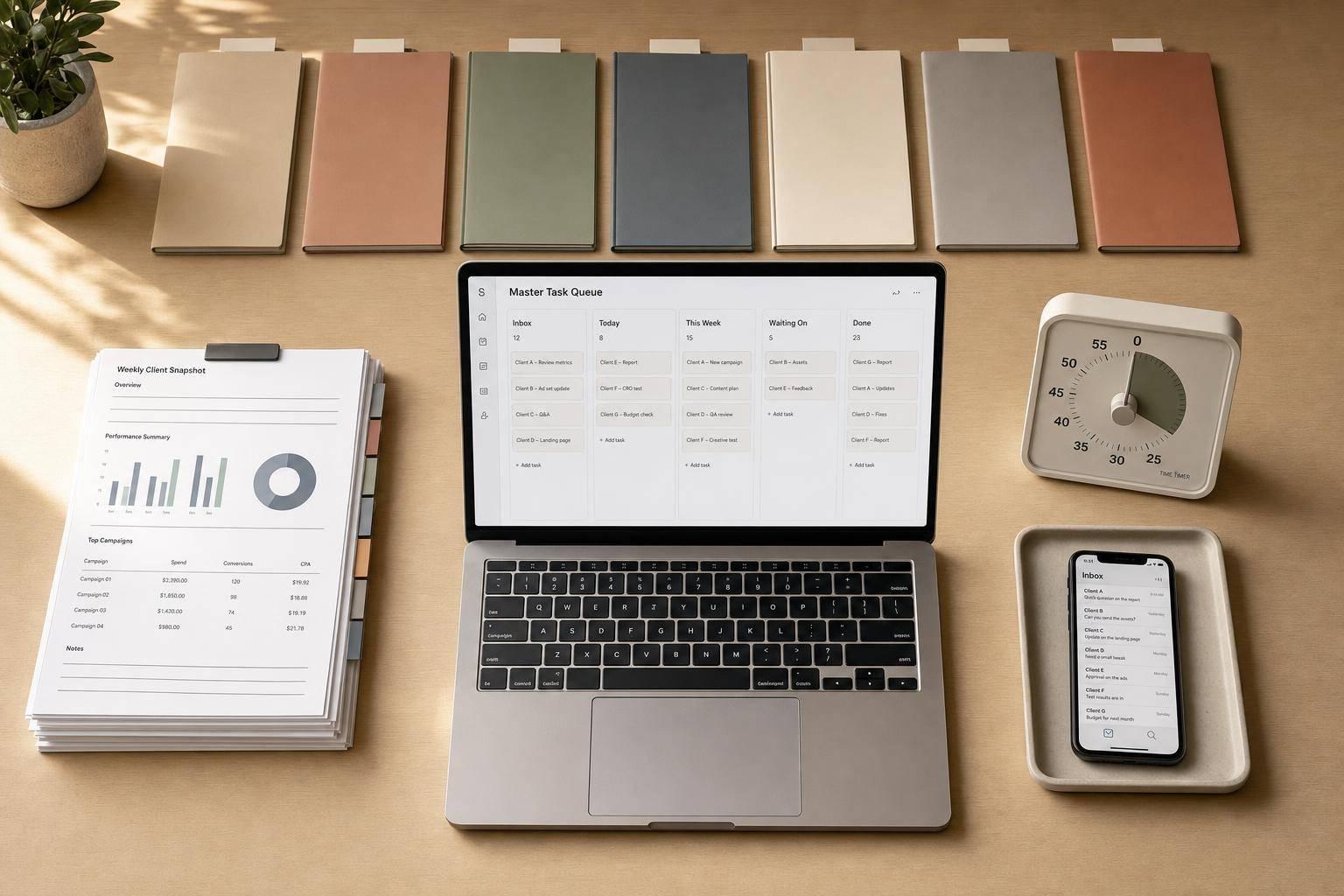
You do not need to spend all day managing seven retainer clients. I keep the admin side under 60 minutes a day by using one fixed weekly rhythm, one reporting setup, and one task queue.
Here’s the core idea in plain English:
- I check for problems, not everything
- I batch replies into set windows
- I send the same type of update each week
- I let automation pull data and draft reports
- I review anything tied to delays, scope, or judgment myself
This works because most client admin is repeat work. And that repeat work adds up fast. The article points out that teams can lose 60% of their time to busywork, and that one interruption can cost 23 minutes of focus. So the fix is simple: cut platform-hopping, cut random replies, and cut manual reporting.
Here’s the weekly flow I’d use:
- Monday: review all accounts, sort priorities, send a Week Ahead email
- Tuesday–Wednesday: do KPI checks and reply only in set time blocks
- Thursday: review auto-filled reports and edit the drafts
- Friday: finish reports, note performance shifts, and roll tasks into next week
A few rules make the system work:
- Every client needs the same setup
- Reports should show only issues that need action
- AI should draft from data, but people handle sensitive messages
- Tasks should live in one master queue, not across inboxes and chat threads
The short version: if you standardize setup, reporting, communication, and triage, seven retainers stop feeling scattered. They turn into a weekly review system based on what changed, what is blocked, and what needs a reply.
That’s the model I’d take into the full article.
The Weekly Workflow for Managing 7 Retainers in Under 60 Minutes a Day
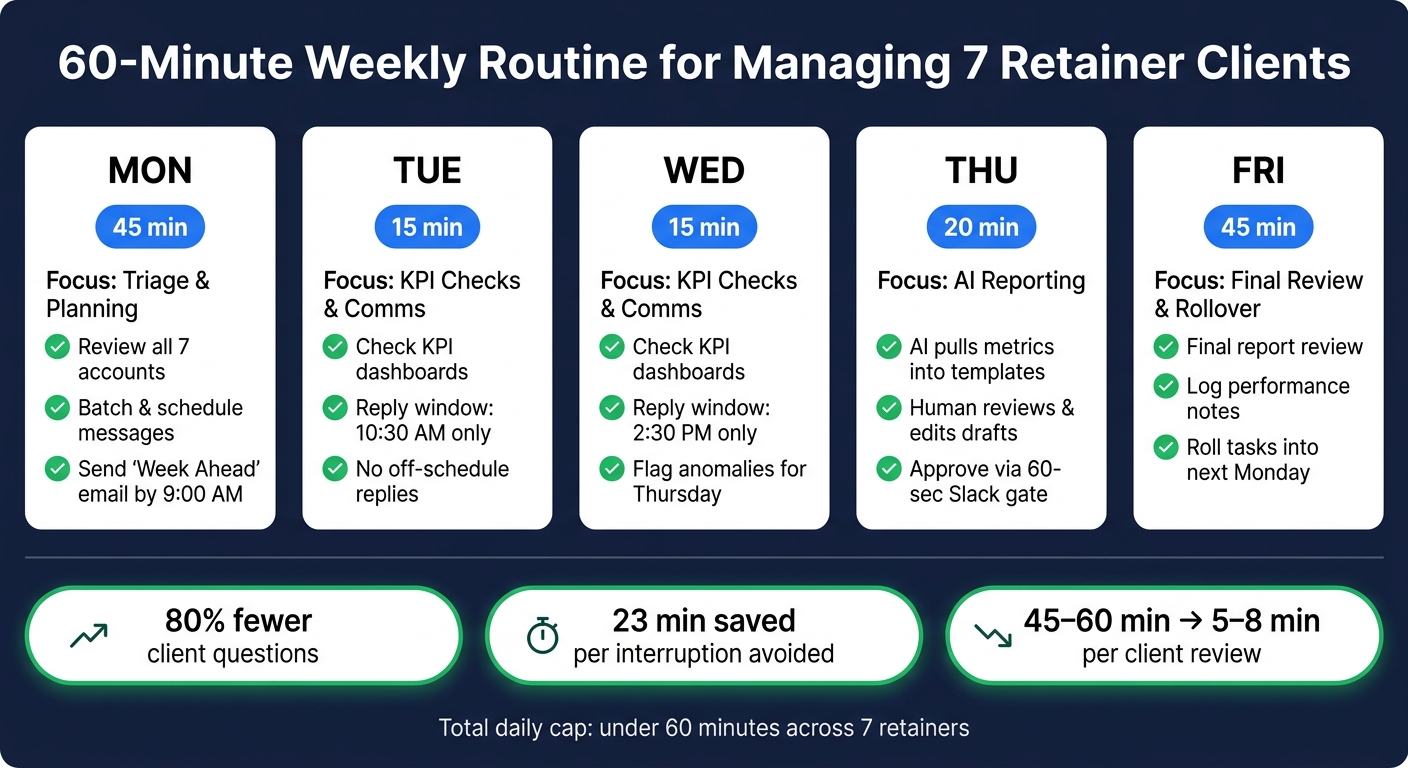
60-Minute Weekly Routine for Managing 7 Retainer Clients
Once the cap is set, the week follows the same loop every time.
The system is simple: daily triage, two reply windows, and a Friday review. That structure matters. Without it, client work has a way of spilling into everything else.
The Monday-to-Friday Time-Blocked Schedule
Monday is for reviewing all seven accounts, batching that week’s messages, and sending a Week Ahead email by 9:00 AM. That email should cover what’s happening, what’s due, and what you need from the client. Done well, it can cut client questions by up to 80% [3].
Tuesday and Wednesday stay inside fixed communication windows, usually around 10:30 AM and 2:30 PM. Outside those windows, no replies. That’s the rule that keeps the day from getting chopped into pieces.
Thursday moves into reporting. AI pulls metrics into client templates, then people review and edit the output. AI can draft the update, but humans should handle delays, scope disputes, and other high-stakes messages [6]. Friday wraps with final report review, performance notes, and rollover tasks for the next Monday.
| Day | Focus | Time |
|---|---|---|
| Monday | Triage, batch scheduling, "Week Ahead" emails | 45 min |
| Tuesday | KPI checks, batched communication | 15 min |
| Wednesday | KPI checks, batched communication | 15 min |
| Thursday | AI-generated report drafts + human review | 20 min |
| Friday | Final report review, end-of-week rollover | 45 min |
This cadence keeps reporting and communication in fixed lanes instead of letting them eat into delivery time. That’s a big deal. One interruption can take 23 minutes to recover from [6], so batching helps protect the cap.
The Client Setup Each Retainer Needs Before This Routine Works
This schedule only works if every account is set up the same way from the start.
Each retainer needs:
- A scope document with deliverables, monthly hours, success metrics, and clear out-of-scope boundaries
- A project template with task groups and dependencies
- A standardized naming schema - such as
[Client Code]_[Task/Campaign]_[Date]- so any team member can read any account fast [2] - A central platform with separate client workspaces and client feedback tied to the right task
- A reporting stack with templates ready for automated data pulls
- A communication cadence for weekly check-ins, monthly deep-dives, and quarterly reviews
Before the routine begins, run a full asset audit. That means tracking pixels, permissions, and API access. Then pull 90 days of historical performance so you have a baseline to measure against.
sbb-itb-9cd970b
How to Standardize Reporting and Performance Reviews With SaaS and AI Tools
This is the Thursday reporting block that keeps the weekly routine inside the 60-minute cap. With seven retainers, you need one reporting system, not seven separate workflows.
The Reporting Stack: Data Sources, Templates, and Scheduled Delivery
Each tool here replaces one manual step in the weekly client pass. The goal isn't more dashboards. It's fewer manual touchpoints across all seven accounts.
Use n8n to pull data from Supermetrics, Windsor.ai, or direct APIs into Looker Studio or AgencyAnalytics. Then have Claude 3.5 or GPT-4o draft the summary [9][10][11].
The client registry in Airtable or Google Sheets is the hub that keeps this system moving. It should store each client's API IDs, brand tokens, and recipient emails. Pair that with a master KPI map that matches your agency-wide metric definitions to each platform's native fields, and the automation has what it needs to run [9][10][11].
Set one scheduled run for Monday at 8:00 AM. That run should:
- pull data by client ID
- flag anomalies
- draft the update
- wait for human approval before delivery [9][10][11][1][12]
That 60-second Slack approval gate matters. It gives you one last check for data issues and account context that AI won't catch on its own [1][12].
The Weekly KPI Review That Flags Action Without Opening Every Platform
A weekly KPI review should show only exceptions. That could mean a 15% budget pacing variance or a 20% week-over-week drop [13][14].
For lead generation and paid media accounts, the numbers that lead to action fastest are cost per lead, budget pacing, qualified meetings, and show rate. An outlier detection step inside the automation flow classifies each delta before the data gets to the AI, so the summary stays focused on what actually changed [11].
Automated pacing alerts help you catch overspending or underspending within one business day. With manual monitoring, the average is 8.3 days [13].
| Quick Scan | Action Review | |
|---|---|---|
| What is reviewed | Budget pacing, CPL, critical anomalies | WoW deltas, strategy, next steps |
| Time budget | 2–5 min per account | 10–15 min per account |
| Decisions made | Pause/adjust daily budgets | Creative refreshes, channel shifts |
| Supporting tools | Slack alerts, Supermetrics, GHL | Claude-generated PDF, Looker Studio |
The quick scan is the short pacing check. The action review is the weekly pass where AI-drafted summaries are already waiting for a human read-through. No platform-hopping. Those flags turn straight into client updates and task priorities for the rest of the week.
How to Handle Client Communication and Task Prioritization Without Extra Meetings
Once the KPI scan spots exceptions, turn them into client updates and clear task owners. That’s how you keep seven clients in the loop without getting buried in email threads or stuck in status calls all day.
The Weekly Client Touchpoints That Keep Accounts Informed
Use the same four-part update every week: Shipped, In progress, Blockers, Next week [3][7][15].
That format works because it’s simple. Clients can scan it fast, see what moved, and know what needs attention without digging through a long note.
Stick to one rule: AI drafts only what the data already supports; humans write anything tied to delays, pricing, scope, or judgment [6][15].
Those updates then feed the weekly priority queue.
How to Decide What Gets Done First Across 7 Accounts Each Week
Work from one master queue, not seven inboxes. Use a Notion database with filtered views for This Week's Priorities, Waiting on Client, and Overdue Items [16].
For the weekly triage pass, weigh:
- deadline proximity
- client revenue
- relationship risk
Tasks come in from Fathom meeting recaps, open questions in the hub, and performance flags from the reporting stack. Automated alerts bring up overdue or stale items before they slip through [8][15][16][17].
After every call or email, log one status line so the next work block starts from the task log, not memory [5][16][17].
That keeps communication and task order inside one weekly loop.
Conclusion: The Routine, Tool Stack, and Rules That Make 7 Retainers Manageable
Once reporting, communication, and task triage are set up the same way, the work stops feeling like a constant fire drill. It turns into a weekly exception list. Every account runs on the same rules, so the only things that need close attention are the outliers.
That’s where the time savings come from: cutting manual checks. Automated reporting drops per-client review time from 45–60 minutes to 5–8 minutes [4][8]. Across seven retainers, that keeps the weekly admin pass inside the 60-minute cap.
AI handles draft work based only on existing data. Humans step in for scope questions and delay issues. And every client still gets a touchpoint at least once a week [6][5]. That’s what keeps seven retainers workable without adding more meetings or more hours.
FAQs
What if I have fewer than seven retainer clients?
If you have fewer than seven retainer clients, you're in a productive sweet spot. At that stage, manual processes can still feel manageable, and personal notes or custom reporting may still do the job.
Even so, it helps to build a disciplined routine now. Standardized weekly updates and clear task prioritization keep admin work from eating up your time and make it much easier to deliver steady service as your client list grows.
How do I set this up if clients use different tools?
Create a central internal layer that standardizes data across different tools. The goal is simple: keep one consistent workspace for tasks and data, no matter what each client uses.
A workflow automation tool can connect platforms like Asana, Linear, and Jira through their APIs. From there, add a routing step for each client’s setup, then map everything into one JSON format.
That way, your reporting agent or dashboard can run on a single template instead of juggling different schemas for every account.
Which tasks should never be automated with AI?
AI works best for repetitive, data-heavy work. But it shouldn’t take over tasks that need human judgment, relationship skills, or clear business thinking.
That’s why it’s smart to avoid automating client check-in calls, demo calls, and final quality-control reviews. Those moments carry a lot of weight. A client check-in isn’t just about status updates. It’s also about reading the room, hearing what’s not being said, and spotting small issues before they turn into bigger ones. The same goes for demo calls. A good demo often depends on timing, tone, and how well you respond in the moment.
Final quality-control reviews also need a human eye. AI can help with coordination, summaries, and first drafts. It can move the work along and save time on the busywork. But the final sign-off should stay with a person, especially when accuracy, tone, and brand consistency matter.
A simple way to think about it:
- Use AI for drafting, scheduling, note-taking, and handoffs
- Keep humans in charge of client-facing conversations and final review
That split tends to work well because it lets AI handle the repetitive parts while people handle the parts where judgment still matters most.