My AI Night Shift: What Our Agents Finished While the Client Slept
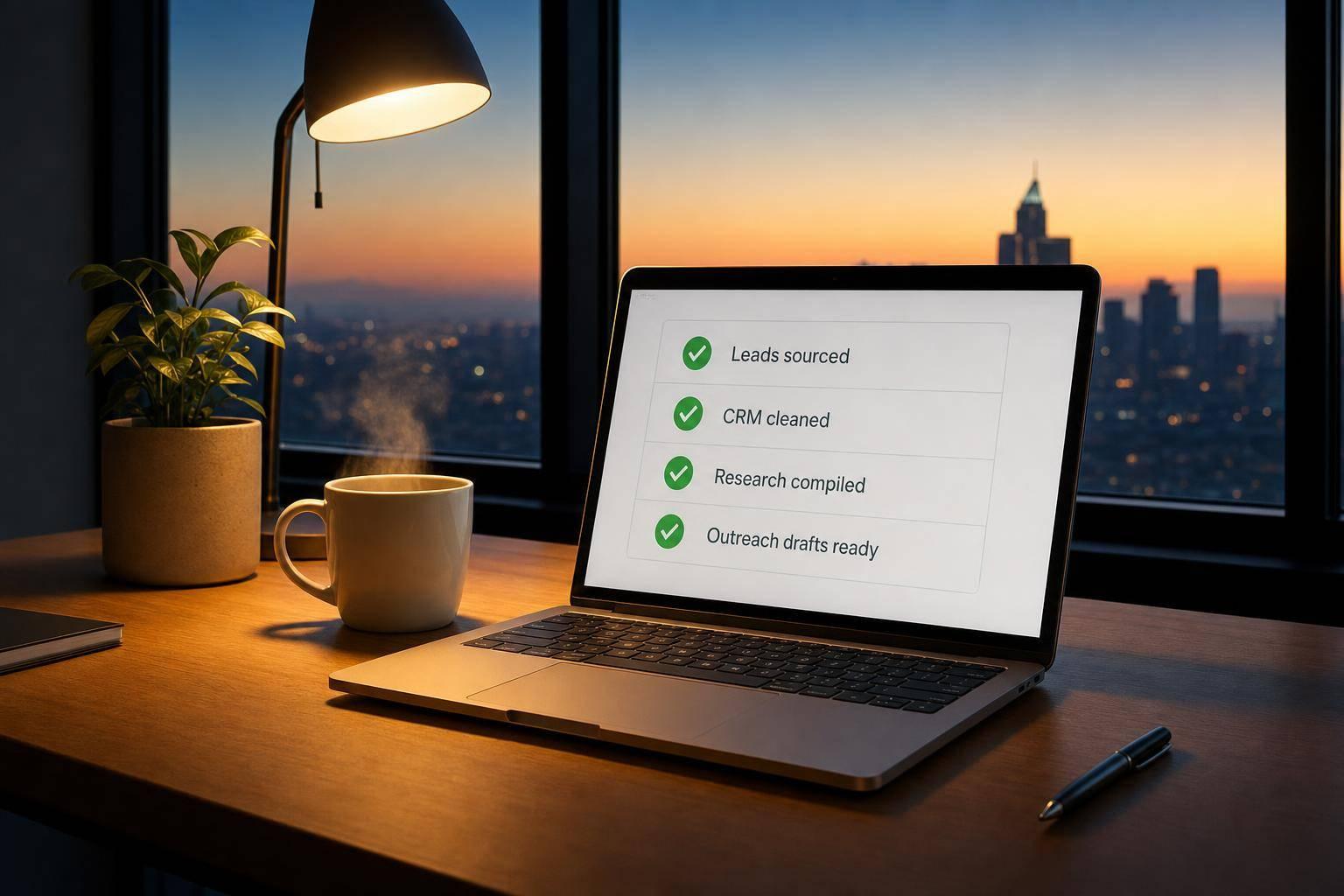
By 7:00 a.m. ET, the workday was already moving. I logged in and saw a ranked lead list, cleaner HubSpot records, drafted outreach, and a Slack morning brief ready to review.
Here’s the short version:
- Lead sourcing: Agents pulled net-new accounts from Apollo.io and matched them with 6sense intent data
- CRM cleanup: They enriched, normalized, and deduplicated records in HubSpot
- Research: They built account briefs from sources like LinkedIn, Crunchbase, job boards, and news sites
- Outreach prep: They drafted first-touch emails and follow-ups for human review
- Routing: High-confidence CRM changes went live; lower-confidence items went to Slack
- Reporting: A morning digest arrived before the team started the day
A few numbers stood out to me:
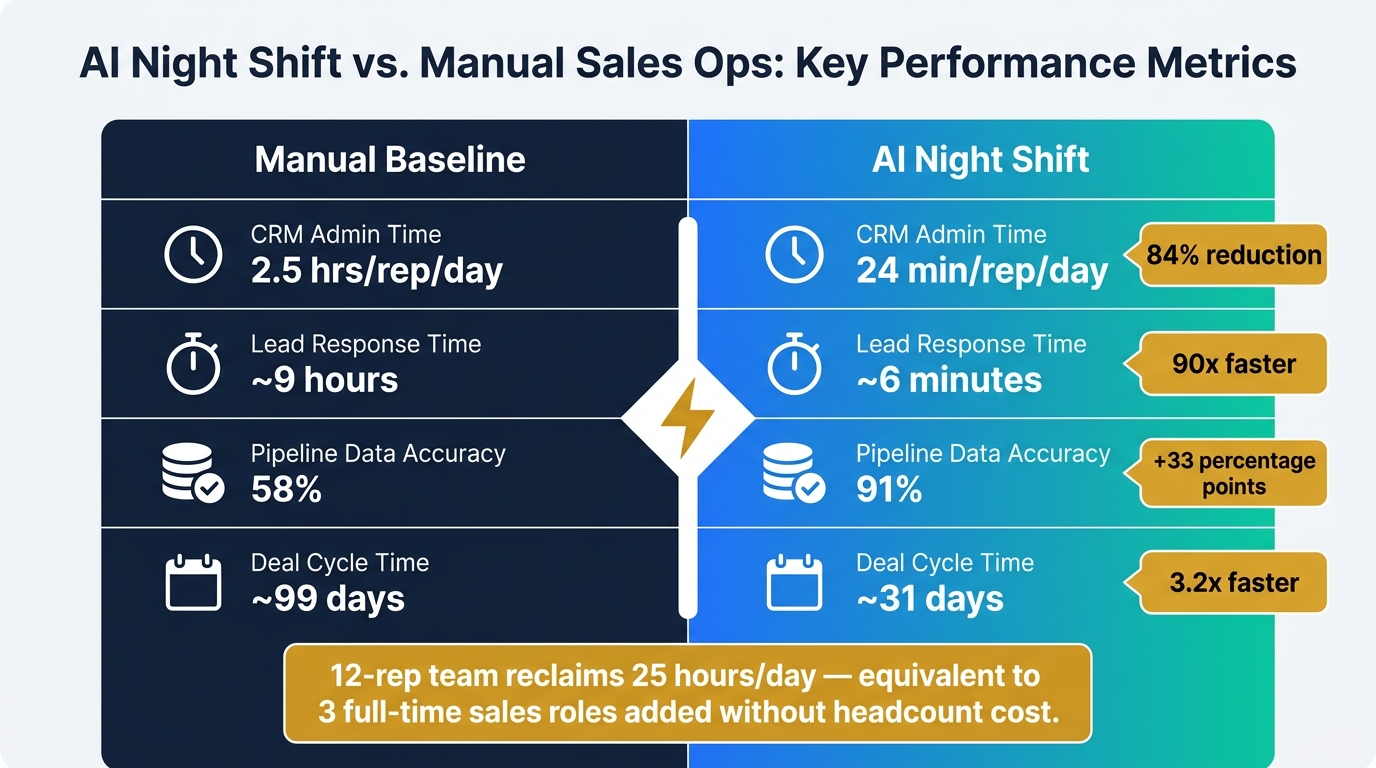
- 84% less CRM admin time
- Lead response time dropped from about 9 hours to 6 minutes
- Data accuracy moved from 58% to 91%
- Deal cycle time fell from about 99 days to 31 days
- For a 12-rep team, that returned about 25 hours per day
What I took from this is simple: agents handled the repeat work overnight, while people kept control of review, outreach approval, and sales conversations.
| Area | What was done overnight | Human role |
|---|---|---|
| Lead generation | Built and ranked account lists | Review target fit |
| CRM work | Enriched and merged records | Check low-confidence changes |
| Research | Wrote account briefs | Use context in calls and emails |
| Outreach | Drafted emails and follow-ups | Approve before sending |
| Reporting | Sent morning Slack digest | Act on priorities |
This is the main idea: the team did not wake up to tasks. They woke up to work that was already prepared and waiting for approval.
How to Set Up an AI Sales Agent & Automate Your Outreach
sbb-itb-9cd970b
What Agents Finished Overnight in the CRM and Top of Funnel
Here’s what those agents wrapped up in HubSpot overnight. They started by building the lead list, then moved into cleaning up the CRM.
Lead List Building by ICP, Segment, and Buying Role
The prospecting agent pulled Apollo data and used 6sense intent signals to spot net-new accounts that matched the ICP. It ranked those accounts based on fit, seniority, and technographic overlap, then filtered out existing customers and active opportunities already in HubSpot [6][1][2][7][9]. By the time the team logged in, the result was a ranked contact list ready for outreach.
After the new accounts were ranked, the enrichment agent turned to the current database so reps could begin the day with cleaner records.
CRM Enrichment, Deduplication, and Record Cleanup
The enrichment agent worked through the existing HubSpot database and enriched records through Apollo, Hunter.io, and Findymail until it found a verified match [7][4]. It filled in missing firmographic fields, normalized job titles, verified LinkedIn URLs, and flagged stale records while suggesting replacement contacts. Duplicates were merged directly in HubSpot, and lower-confidence matches were sent to Slack for review [5].
What Agents Prepared for Outreach Before the Team Logged In
After cleanup, those same records turned into outreach-ready inputs. The agents then moved into prep work, turning raw account data into something a rep could act on right away.
Prospect Research Briefs for Priority Accounts
For each priority account, a research agent checked up to 14 sources at the same time, including LinkedIn, Crunchbase, BuiltWith, job boards, and Google News, then wrote the brief into HubSpot in about 90 seconds [8]. That shrank the task from about 60 minutes per prospect to just a couple of minutes.
Each brief included funding status, current tech stack, open roles that hinted at internal pain points, recent activity, and two or three conversation openers produced by a GPT-4o synthesis layer [8]. If the agent found a job post for "data engineer" and also saw a LinkedIn post about "pipeline problems", it matched those signals and marked the account as a high-priority fit [8].
BinaryBits reported a 28% increase in call-to-meeting conversions over 60 days and 55 minutes saved per prospect [8].
Drafted Emails, Follow-Ups, and Message Queues
Once the briefs were done, a drafting agent used that account context to write personalized first-touch emails and follow-up sequences. It placed each draft in a CRM review queue, not the outbox. Every draft waited for human approval [10][11].
Human review took about 30 seconds per contact, compared with 5 to 10 minutes for manual work [10][4].
Those briefs and drafts then fed the morning report and approval queue.
Reporting, Workflow Automation, and Measured Business Results
AI Night Shift vs. Manual Sales Ops: Key Performance Metrics
Morning Reports, Alerts, and Workflow Handoffs
After the overnight work finished, the orchestration layer had one last job: turn everything into a morning handoff the team could use right away.
A reporting agent put together a structured morning briefing and sent it through Slack by 7:00 a.m. ET. It covered pipeline health, website status, competitor signals, and the top action items for the team [13][11][14]. On top of that, automated Slack alerts fired whenever calls were logged, deal stages changed, or follow-up tasks were created from overnight transcript analysis. That gave reps a clear signal on what to tackle first [5].
Just as important, every overnight task produced either a success report or a failure log. Nothing failed silently [12]. That audit trail gave the team confidence in what they saw at 7:05 a.m., so they could move straight from review to action.
Revenue Impact, Time Saved, and Faster Client Service
With that handoff in place, the gains showed up where sales teams feel them most: speed, cleaner data, and more rep time for actual selling.
The main business effects showed up in faster response, cleaner records, and less rep admin.
| Workflow | Manual Baseline | AI Night Shift Version | KPI Impact |
|---|---|---|---|
| CRM Admin | 2.5 hrs/rep/day [5] | 24 min/rep/day [5] | 84% time reduction |
| Lead Response Time | ~9 hours [3] | ~6 minutes [3] | 90x faster |
| Pipeline Data Accuracy | 58% [5] | 91% [5] | +33 percentage points |
| Deal Velocity | Baseline [5] | 3.2x improvement [5] | Cycle cut from ~99 to ~31 days |
"The mechanism behind the accuracy improvement was speed... Automated updates written within 15 minutes of call end meant deal stages reflected reality in near real-time." - Swift Headway AI [5]
For a 12-rep team, getting back 2.1 hours per rep per day adds up to 25 collective hours each day. Put plainly, that's like adding three full-time selling roles without adding headcount cost [5]. This efficiency is a core component of a modern AI tool stack for scaling without linear hiring.
Conclusion: What This AI Night Shift Means for SaaS Teams Building Toward Scale
The overnight results point to a pattern that teams can use again and again: AI agents do their best work on repeatable, high-volume tasks, while people should stay focused on judgment, relationships, and closing. Put simply, the biggest wins come from handing off repeatable work, not decision-making.
That line matters. Discovery calls, product demos, and final approval of outreach should stay with humans. As Brandon Gadoci, Founder, Gadoci Consulting, put it:
"An AI system that's aggressive with decisions will lose your trust in a week." [11]
For SaaS teams scaling past $10 million in revenue, the safest rollout order is pretty clear:
- Start with CRM enrichment and reporting
- Then move to ICP scoring and prospect research systems
- After that, add drafting and workflow automation
None of this works well without solid CRM maturity. Teams need structured data, clear ICP rules, and human review checkpoints. If that foundation is messy, the whole setup gets shaky fast.
The night shift model doesn't replace the team. It clears the deck: lead list building, CRM cleanup, prospect briefs, draft queues, and morning reports get handled before the day starts. So when the team logs in at 7:00 a.m. ET, they can start selling right away.
That’s the real value of an AI night shift: the client opens in the morning to finished work, not a to-do list.
FAQs
What tasks should teams automate first overnight?
Start with high-volume, repetitive work where consistency matters more than judgment. A smart place to begin is lead generation and lead management: finding prospects, enriching contact data, and updating your CRM.
A few other tasks work well overnight too. Think content drafting, daily reporting, and pipeline checks for stale deals that need attention. For anything sensitive - like final outbound messages or direct CRM edits - keep human review in the loop.
How much human review is still needed?
Human review is still the final checkpoint for outbound work and day-to-day oversight. It helps keep messages accurate and on-brand.
AI agents can take care of after-hours work like prospect research, list building, and draft outreach. But in most teams, a person still gives the final sign-off before anything goes out. That review often takes just a few seconds per message and focuses on quality control, mismatches, and tone drift.
What setup is required to make this work?
You need clear instructions, access to the right data, and a defined workflow. Start by connecting your agents to your CRM and other relevant sources. Then give them your ICP, brand voice, and research goals so they know what to look for and how to act.
It also helps to set up human review for high-stakes actions. Use specialized agents for different roles instead of asking one agent to do everything. And put guardrails in place, like API budget caps and pre-flight checks, to cut down on mistakes before they happen.