Marketing Agency SOP Template: Get Delivery Out of 1 Person's Head
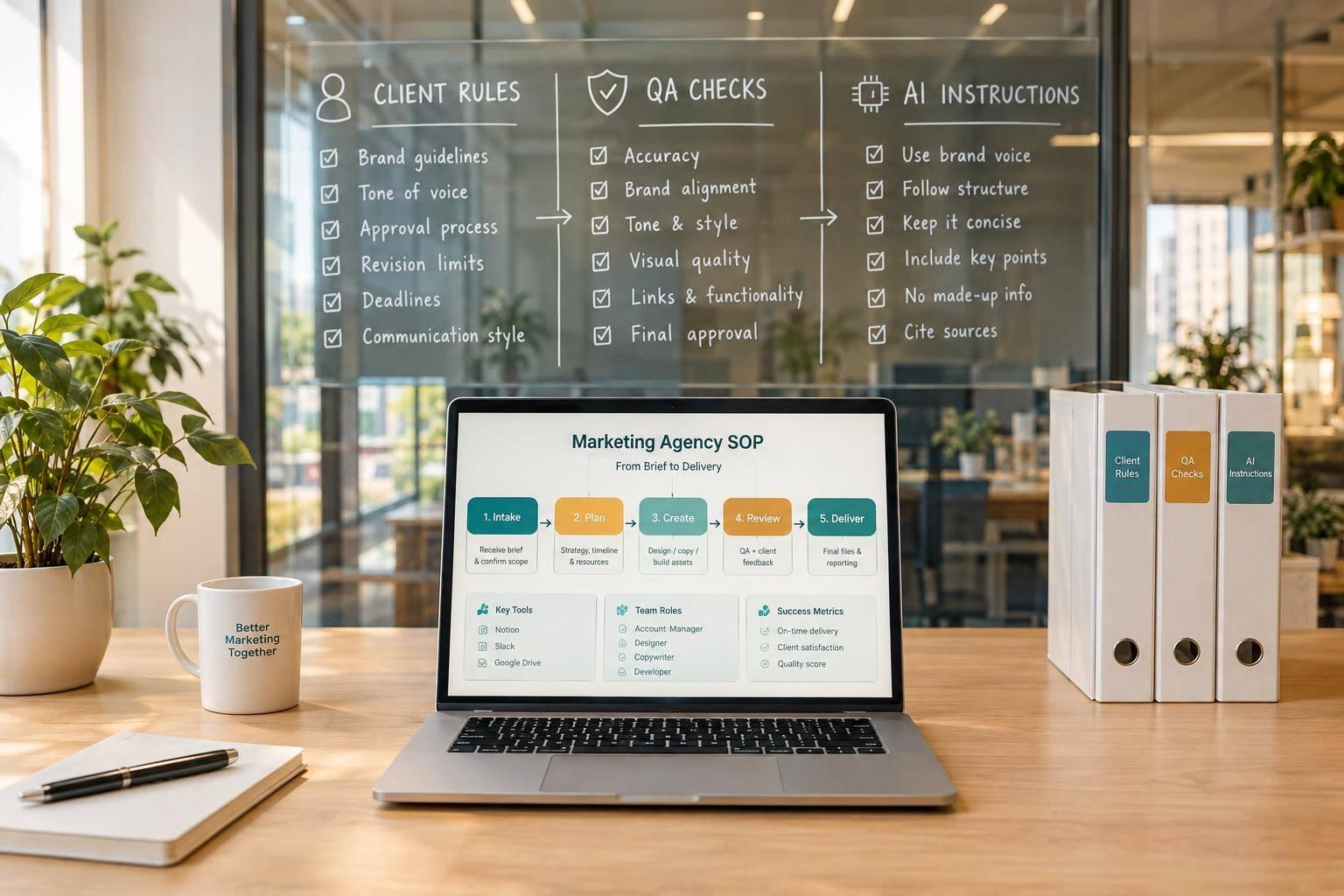
I use a marketing agency SOP template to put task steps, client rules, and approval checks where the next teammate can find them without asking the person who knows the account. The gap is not AI output. It is the context needed to turn that output into work a client can approve.
The old way lists tasks but leaves judgment in a senior teammate’s head. My rule: pass the client context with the work, not just the task list.
Portable Delivery Intelligence is the client knowledge, rules, and delivery steps that travel with each account. Agile Growth Labs (AGL) uses this approach to target 18 to 25 accounts per account manager, compared with the stated baseline of 4 to 8. That is a target, not a promise from a template.
I start with 1 service, name each owner, set pass/fail checks, and test the handoff with another teammate. <u>Done means checked and approved, not just sent.</u>
Next step: Run the free calculator.
Creating SOPs for Digital Marketing Boost Efficiency
sbb-itb-9cd970b
Copy This Marketing Agency SOP Template
Copy this marketing agency SOP template to put a senior teammate’s delivery knowledge into a process another person can run without asking them to fill in the gaps. Use it for 1 repeatable service at a time, and replace each bracket with the client’s actual process details.
The handoff needs more than task steps. It needs the client context behind each task. AI is not the bottleneck when that context is missing.
Define the Trigger, Owners, and Inputs
Set the start event, assign each role, and link the inputs needed before work starts. Use role titles, not names.
SOP record: [Name] · [Purpose] · [Version] · [Last reviewed / next review]
Start event: [Observable event] · Cadence: [Frequency] · Scope: [Included work / excluded work]
Roles: [Process owner responsible for this document] · [Task owner responsible for delivery] · [Backup] · [Contributors] · [QA reviewer] · [Client approver]
Required context: [Audience] · [Business and campaign goals] · [Brand voice] · [Approved claims] · [Client stakeholders / approvers]
Input links: [Signed scope] · [Approved brief] · [Assets] · [Source documents] · [Required tools] · [Secure access requirements]
Access record: [Required permissions] · [Secure access reference] · [Access owner]. Do not store passwords in the SOP.
Source rules: [Which source wins if documents conflict] · [Missing inputs that block work]. Log open questions so the next teammate does not have to guess.
Write the Steps, Client Rules, and AI Instructions
Write each action so another teammate can do it and check the result.
Step format: Copy a row for each action. Number the steps in order. Start each action with a verb, name the tool or location, and list any tasks that must happen first. Add a pass/fail check someone else can verify.
| Step | Owner | Action | Inputs | Output | Completion check |
|---|---|---|---|---|---|
| 1 | [Role] | [Verb + object + tool/location] | [Exact source links] | [File, format, and destination] | [Pass/fail requirement] |
| 2 | [Role] | [Next action and location] | [Prior output and other sources] | [Required deliverable] | [Pass/fail requirement] |
| 3 | [Role] | [Next action and location] | [Required inputs] | [Required deliverable] | [Pass/fail requirement] |
Client rules and exceptions: [Must: fixed requirements] · [Should: guidance that allows judgment] · [If condition occurs, take action; decision owner: role]
AI instructions: [Approved tool] · [Permitted task] · [Required client context and sources] · [Approved prompt] · [Output format] · [Data that must not be uploaded] · [Prohibited uses]
Name the decisions that need human judgment. Assign a role to check claims against sources. Keep publishing, sending, and spending behind human approval.
Define QA, Approvals, and Done
Set clear checks and approval rules so “done” means the same thing to each teammate.
QA record: [Reviewer] · [Numbers and claims match sources] · [Voice and approved terms match guidelines] · [Links reach the right destinations] · [Formatting meets specs] · [Tracking matches the brief] · [All scoped deliverables are present]
Approval package: [Deliverable version, source links, and QA results another teammate can verify] · [Approver] · [Decision deadline] · [Approval channel]
Record approve / request changes / reject for that version. Send changes back to the task owner for correction and another check.
Done: [Delivery state] + [Evidence link] + [Recorded approval] + [Updated task record]
Escalation: [Condition → decision owner → response deadline → hold work until a decision is made]. Include missing inputs, scope changes, and missed approvals.
Revision log: [Date] · [Editor] · [Change] · [Reason]
The completed example below shows this template filled in for a real client workflow.
Completed Example: Monthly LinkedIn Campaign for a B2B SaaS Client
Marketing Agency SOP: LinkedIn Campaign Workflow
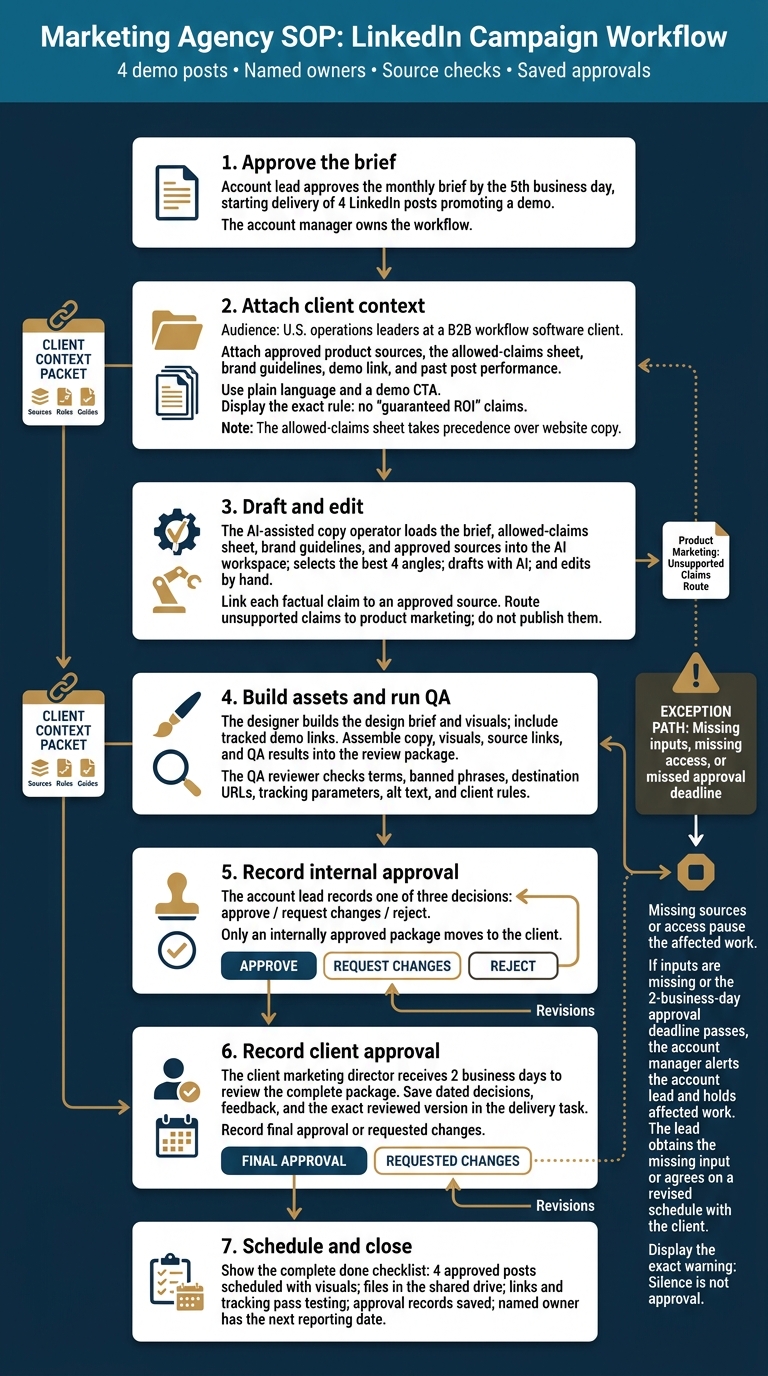
A monthly LinkedIn campaign needs more than AI-written posts: it needs clear client rules, named owners, source checks, and saved approvals. This filled-out SOP shows how that context moves through a monthly workflow for 4 demo posts, from brief approval to scheduling.
Set the Brief, Roles, and Client Rules
Start and scope: The account lead approves the monthly brief by the 5th business day. That starts delivery of 4 LinkedIn posts promoting a demo.
The account manager owns the workflow. An AI-assisted copy operator and designer create the work. A QA reviewer checks the package before the account lead approves it internally. The client marketing director gives final approval.
Client context: The B2B workflow software client targets U.S. operations leaders. Attach the approved product sources, allowed-claims sheet, brand guidelines, demo link, and past post performance.
Use plain language and a demo CTA. Follow this rule exactly:
no “guaranteed ROI” claims
The allowed-claims sheet takes precedence over website copy. If sources or access are missing, pause the affected work. Give the client 2 business days to review the complete package.
These same rules guide production, review, and approval.
Draft With AI, Build Assets, and Check Quality
Drafting: Load the brief, allowed-claims sheet, brand guidelines, and approved sources into the AI workspace. The operator selects the best 4 angles, drafts the posts with AI, and edits them by hand.
Link each factual claim to an approved source. Send unsupported claims to product marketing. Do not publish them.
Assets and QA: Build the design brief, visuals, and tracked demo links. Put the copy, visuals, source links, and QA results into the review package.
The reviewer checks terms, banned phrases, destination URLs, tracking parameters, alt text, and client rules.
Record Approvals and Complete Delivery
Internal approval: Once the draft package is complete, record the account lead’s decision: approve, request changes, or reject. Send the internally approved package to the client marketing director.
Client approval: Save dated decisions, feedback, and the exact reviewed version in the delivery task. Record final approval or requested changes. Recheck edits before asking for approval again.
Done means: The 4 approved posts are scheduled with visuals. Files are in the shared drive. Links and tracking pass testing. Approval records are saved, and a named owner has the next reporting date.
If inputs are missing or the 2-business-day approval deadline passes, the account manager alerts the account lead and holds the affected work. The lead gets the missing input or agrees on a revised schedule with the client. Silence is not approval.
Set Up and Test the SOP in Your Existing Tools
An SOP works when the next person has both the steps and the client rules needed to do the task. Keep shared steps in your SOP library, keep account facts in the Engagement Record, and link both in each handoff so staff and AI use the same context.
Separate Shared Steps From Client Rules
Put reusable steps in 1 SOP library. Keep client rules tied to the account record.
Link the SOP from each task’s References field. Store client facts in 1 Engagement Record. Use the same Engagement ID on both records to match the right process to the right account.[4][6][7][8]
This moves delivery knowledge out of a person’s head and into the tools your team already uses.
| Information type | Reusable SOP content | Engagement Record content | Responsible updater |
|---|---|---|---|
| Standard workflow | Numbered steps that state what to do | N/A | Process owner |
| Client rules | N/A | Approved scope, SOW, exclusions | Account lead |
| Access & tools | Where to find tool logins | Specific access grants and secure access references | Client admin |
| Quality gates | QA checklist templates | Proof of completion and sign-off | QA reviewer |
| Exceptions | Named rules for alternate steps | Client-specific limits | Delivery lead |
Label fixed rules Must. Label guidance that calls for judgment Should. Keep a revision history with the SOP, and give 1 process owner final say on SOP updates. Keep client-specific changes in the Engagement Record.[7]
Include Context in Every Handoff
Link the shared steps and client rules in the handoff task so the next owner has both in 1 place.
Use the task’s References field to link the current SOP version, Engagement Record, and supporting files. Don’t copy the instructions into each task.[6][7][8]
State the scope, what falls outside it, who takes ownership, and what counts as done. The next owner should not have to guess.[9]
Give your AI tool 3 blocks: client context, task requirements, and quality constraints.[5]
Test With Another Team Member
Give the draft SOP to a teammate who is new to the task. Watch them use it without help. Each pause or question points to a gap in the document.[7]
Run 1 pilot on 1 engagement. Track missing inputs, blocked handoffs, QA defects, rework, and requests for client details. Then update the source SOP while the work is still clear in the team’s mind.[3][7]
Conclusion: Check Delivery Before Adding Accounts
Delivery is ready for more accounts when client knowledge travels with the work, not just with the person who knows the client. After the live handoff test, check whether the team can keep quality and timing steady without asking senior staff to fill in gaps.
Measure Quality and Reliance on Senior Staff
Track planned approvals and avoidable rework separately. Count time senior staff spend fixing output apart from time they spend on scheduled reviews.[2][8]
Agree on what each measure means before you compare results. Track senior rework rate, clarification questions, revision rounds, on-time delivery, QA defects, time from intake to approval, and handoff completeness. Use the first 3 runs as your baseline.[3][7]
Add Accounts Only When Delivery Holds Up
Track accounts per account manager alongside scope, delivery hours, and quality. Add accounts only when handoffs need little expert help and work moves ahead without constant senior fixes. Revision rounds and turnaround times must stay steady.
Less re-briefing can make room for more work with the same team. Use the results from 1 live handoff to judge whether the process can support another account.
FAQs
Which agency workflow should I document first?
Start with a service your team delivers often. Pick the task that needs your input most. Standardize that task first, not everything at once. If you’re unsure where to start, try sales-to-delivery handoffs, client onboarding, or your team’s definition of done.
Document the task as you do it. Use current messages and files, not memory. Record the steps, where handoffs stall, what misses the quality bar, and how many rounds of edits it takes.
How do I keep SOPs useful as client needs change?
Treat SOPs as living documents. Test each process change on 1 client engagement before you update shared templates. Let observed results, not theory, guide the change [1].
After every major client interaction, update that client’s context. Record their brand voice, business priorities, and delivery preferences [2].
Track missing inputs and rework as the team delivers. Use those findings to refine procedures, and document each change through change control. This keeps quality steady without making the team rely on memory [1].
How can I tell when we're ready for more accounts?
Your team is ready for more accounts when delivery follows clear, repeatable steps, not knowledge held by 1 person. Handoffs should work without verbal follow-up, each task should have a written Definition of Done with proof that it meets the standard, and rules should cover common exceptions without someone stepping in.
Test these standard operating procedures (SOPs) on 1 client engagement. Proof of completed work with no defects or rework sets a baseline for taking on more accounts.