Claude Projects vs ChatGPT Projects for Agencies: Which Holds Client Context Better?
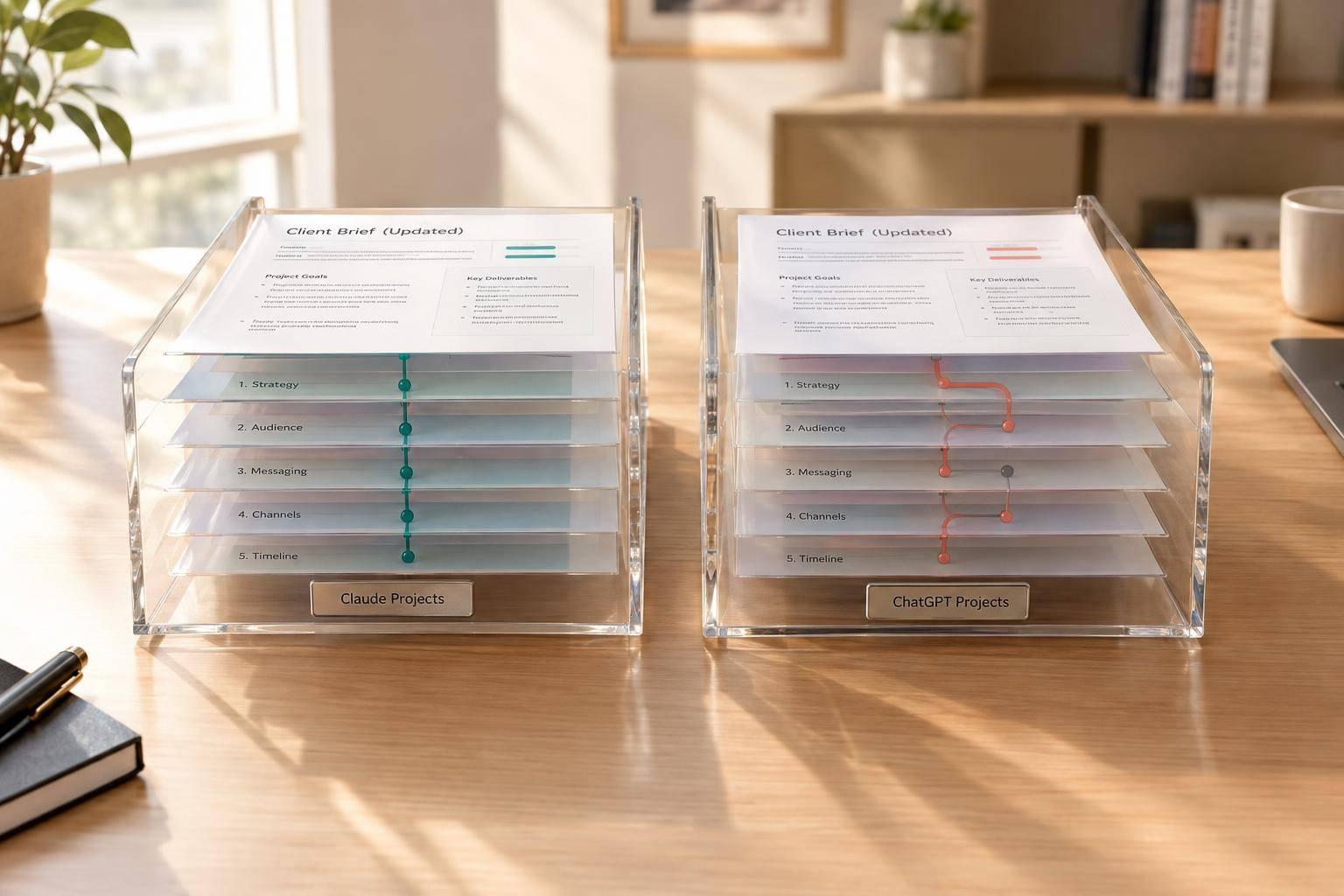
I’d test ChatGPT Projects for reuse across chats and Claude Projects for work built around client files, but neither wins on brief updates without a test. For agencies with 15+ clients, I’d pick the tool that follows the latest rules with fewer corrections, repeated briefs, and minutes spent in review.
My rule: test what the AI follows, not just what it stores. A saved brief does not prove the next draft uses it.
Quick Comparison
| What I’d check | Claude Projects | ChatGPT Projects |
|---|---|---|
| Client rules | Project instructions and files | Project instructions and files |
| Context across chats | Check memory access; save decisions in files | Project memory can draw on related chats |
| Brief updates | Replace old files and fix conflicting rules | Do the same, then check for old chat guidance |
| Team handoffs | Check access and sharing settings | Check project members and memory settings |
| Final approval | Keep it with people | Keep it with people |
I’d run the same copy task in both tools, change the audience, offer, and approval rules, then test an existing thread and a new chat. I’d track errors, correction rounds, repeated context, and review time. That gives me a basis for choosing.
The old way asks each account manager to carry the brief in their head. My next step is a shared delivery layer: Portable Delivery Intelligence connects current client rules to repeat work, checks drafts, and keeps human approval before release.
Agile Growth Labs (AGL) sets a target of 18–25 accounts per account manager, compared with 4–8, using the same team. I’d treat that as a target, <u>not a result from this tool comparison</u>.
Next step: Run the free calculator.
ChatGPT Projects vs Claude Projects: Which is Better?
sbb-itb-9cd970b
How Claude Projects and ChatGPT Projects Use Client Context
Claude Projects carries client rules through project instructions and reference files, while ChatGPT Projects uses project instructions, uploaded files, and project memory settings. Both can reduce the need to paste briefs into new chats, but teams must test whether brand voice, strategy, audience, deliverable requirements, and approval rules survive a brief update. [1][2][6][7]
Stored context is not the same as current context. Check how each tool stores client rules. Then open a new chat to see whether it follows the latest brief.
Claude Projects: Instructions and Reference Files
Claude applies project instructions across conversations. Put brand voice, strategy, deliverable requirements, and approval rules there. Store approved briefs and audience research in project files for new campaign chats. [1][2][4][7]
Claude can load a large amount of project context before pulling more material from files. That can help it follow detailed voice rules and complex strategy. [1][2][4][7]
If your workspace has cross-chat memory, check what it retains before you rely on it. Test Claude with live briefs, especially in a new chat after a revision. ChatGPT takes a different approach through project-scoped memory and file retrieval. [1][2][4]
ChatGPT Projects: Conversations and Memory Settings
ChatGPT project instructions override global custom instructions. Project-only memory lets chats draw on other conversations in the same project while keeping outside context out. Confirm this setting before using it for client work. [1][6][7]
After a brief changes, open a new campaign chat. Ask ChatGPT to cite the source for each requirement, then check those sources against the revised brief. Also check whether earlier chats still shape the answer. [1][2][6]
Side-by-Side: Context Access and Brief Updates
A mid-campaign brief change helps show how each tool handles client context.
| Area | Claude Projects | ChatGPT Projects | Agency takeaway |
|---|---|---|---|
| Instructions | Apply across project conversations | Override global custom instructions | Put lasting client rules in project instructions. |
| Files | Can load a large amount of project context before pulling more from files | Can pull from uploaded project files | Check that the draft follows the required details. |
| Cross-chat access | Record key decisions in project files or a change log; check available memory | Project-only memory can reference chats within the project | Test a new chat without pasting the brief again. |
| Revised briefs | Replace old files and update conflicting instructions or the change log | Replace old files and update conflicting instructions; earlier chats may still shape answers | Keep the approved master brief and change log outside the chat. |
| Campaign reruns | Reuses instructions and project files | Reuses instructions, files, and available project memory | Track how often the team must restate the brief. |
| Collaboration | Project sharing depends on workspace access | Shared projects are visible to members | Check permissions before sharing client data. |
| Approval still required | Approval text does not block delivery | Approval text does not block delivery | Require human approval before delivery. |
Workflow Test: Campaign Copy After a Brief Update
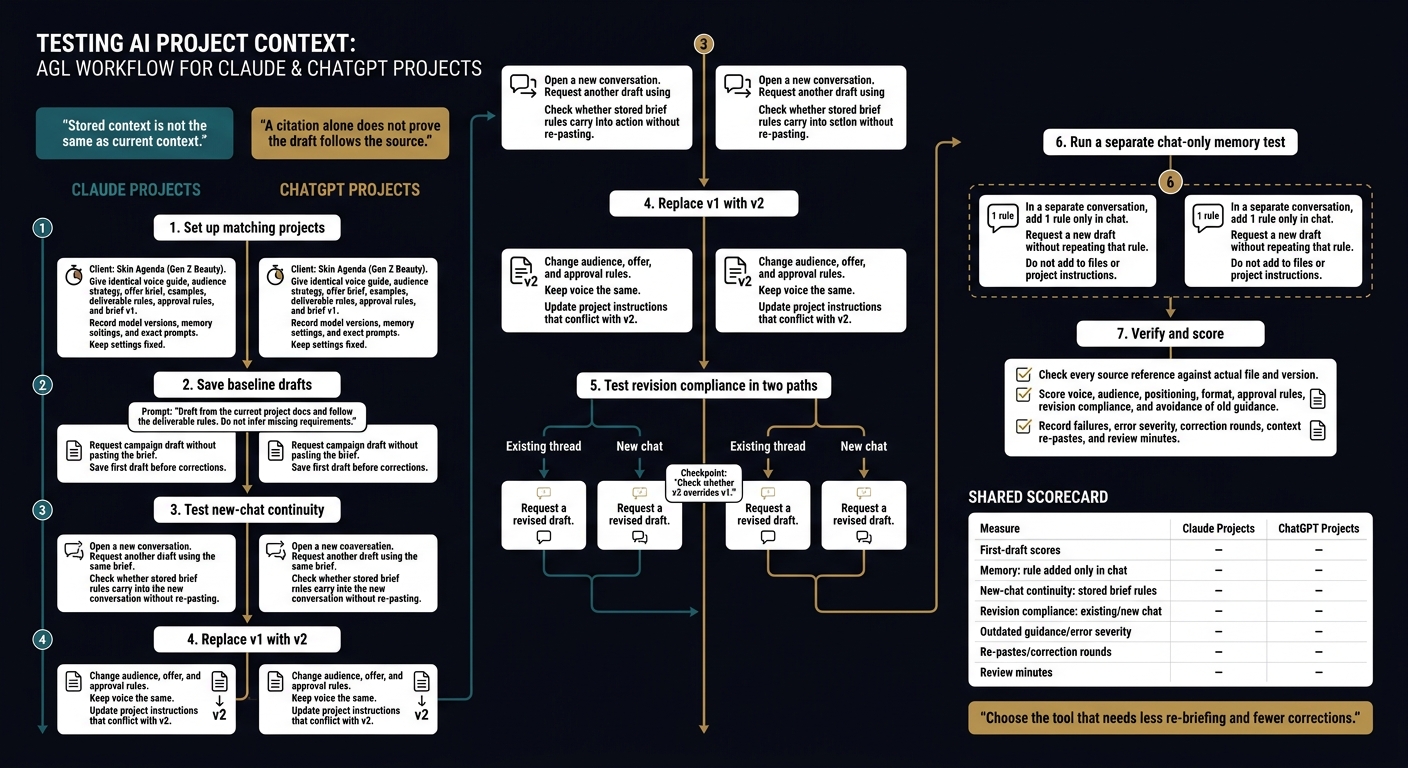
Claude vs ChatGPT Projects: The Brief-Update Test
Set Up Matching Client Projects
Test whether each tool follows stored rules during campaign work. The goal is to check how well client context carries into drafts, not just how well the tool writes.
Use Skin Agenda, a hypothetical Gen Z beauty client, not a real client account.
Create matching Claude and ChatGPT projects. Give both the same voice guide, audience strategy, offer brief, examples, deliverable rules, approval rules, and brief v1.
Record model versions, memory settings, and exact prompts. Keep those settings fixed throughout the test. [1][2][5]
Request a campaign draft without pasting the brief. Use the same prompt in both tools:
Draft from the current project docs and follow the deliverable rules. Do not infer missing requirements.
Save both first drafts before making corrections.
Test New Conversations and Revised Instructions
Open a new conversation in each project. Request another draft using the same brief.
Then replace v1 with v2. Change the audience, offer, and approval rules, but keep the voice the same. Update any project instructions that conflict with v2.
Request a revised draft in both the existing thread and a new chat. Check whether v2 overrides v1 in each case. [1][3][6]
In a separate conversation, add 1 rule only in chat. Request a new draft without repeating that rule. Do not add it to files or project instructions.
Check every source reference against the actual file and version. A citation alone does not prove the draft follows the source. [1][5]
Track Corrections, Re-Pastes, and Review Time
Score voice, audience, positioning, format, approval rules, revision compliance, and avoidance of old guidance.
Record failures, error severity, correction rounds, context re-pastes, and review minutes. Compare which tool needs less re-briefing and fewer corrections from the account team. Track memory and revision compliance in separate rows. [8][9]
| Measure | Claude Projects | ChatGPT Projects |
|---|---|---|
| First-draft scores | ||
| Memory: rule added only in chat | ||
| New-chat continuity: stored brief rules | ||
| Revision compliance: existing/new chat | ||
| Outdated guidance/error severity | ||
| Re-pastes/correction rounds | ||
| Review minutes |
Where Portable Delivery Intelligence Fits
Claude and ChatGPT Projects hold context in workspaces; Portable Delivery Intelligence turns that context into a delivery layer for the tools your team already uses. It connects client strategy, rules, priorities, and approvals to client work, so the next step is to link 1 current brief to 1 recurring service.
The workspace holds the context. The delivery layer puts it to work.
Connect Client Context to 1 Recurring Service
Start with 1 recurring service.
For example, campaign copywriting.
Map the inputs, deliverables, deadlines, and approval steps. Then build a 5–10-file source pack, not a full archive upload.
Keep identity, voice rules, task defaults, and “never” constraints separate. Use only the current brief set as active sources. This keeps old guidance from the brief-update test out of recurring work. [2][3]
Connect the source pack to the tools your team already uses. Route live work through an operator. Check drafts against written client rules, and require human approval before release.
Keep Sources Current and Require Approval
Once the workflow is live, keep its source set current. Assign 1 brief owner per client. Date revisions, mark replaced files, and resolve conflicts before the next task.
Keep a decisions log so approved changes do not stay buried in chat. Review the current source list regularly and remove outdated files from active sources. Urgent changes should not wait for that review. [2][3]
Before upload, check retention settings, permissions, and internal policy. At approval, check voice, audience, offer, claims, format, and required approvals against current sources.
People retain final approval. Keep factual checks, legal review, client sign-off, and final brand review with people.
Conclusion: Which Tool Reduces Re-Briefing?
Pick ChatGPT Projects to reuse context across chats, or Claude Projects to work from curated reference files and file-based retrieval. The best fit is the tool that needs fewer corrections and re-pastes in your brief-update test, not the tool that claims to remember more. [1][6]
Memory does not prove the latest brief was applied. Test both tools with a revised brief and check whether old guidance still shapes the output. [1][3]
| Test outcome | Best fit |
|---|---|
| Reuse decisions from earlier chats | ChatGPT Projects: project memory can reuse context from related chats. [6] |
| Follow curated reference files with fewer re-pastes | Claude Projects: curated reference files and file-based retrieval. [1][9] |
| Apply a revised brief without outdated guidance | Neither wins automatically: old files and conflicting instructions still need manual cleanup. [1][2][3] |
If client context needs to move beyond a project, Portable Delivery Intelligence adds a delivery layer to either tool.
FAQs
How can I prevent context from leaking between clients?
Give each client 1 clearly named, separate workspace or project. Store approved client facts in that project’s instructions and knowledge files, not in general chat or memory. Use project-only memory or shared-project settings to keep client context from crossing over. Invite teammates only to the client projects they need.
Don’t count on AI to carry decisions forward on its own. Keep a decision and session log for each client. Delete or replace old uploaded file versions on a regular basis. [1][2][3][4]
What should I do if the AI keeps using an outdated brief?
Use project files and instructions as the source of truth, not a past chat. Update the brief and any current-state or decisions log. Replace or remove old uploaded documents. Then rerun the task with the updated project context.
Set a weekly or monthly document review. Neither ChatGPT nor Claude automatically keeps up with changes to your client’s needs. [1][2][3]
When should I add Portable Delivery Intelligence to my workflow?
Add Portable Delivery Intelligence when repeat client tasks need current briefs and automated handoffs between AI drafting and review projects and tools like HubSpot, Docs, Drive, or Asana. It cuts the need to paste the same details again or brief each tool from scratch.
Saved context is not live context. The cited sources say Projects keep context across chats within their workspace, but they can’t pull live CRM, ticket, or analytics data out of the box. Documents still need manual updates, and people still need to review outputs [1][2][3].