The 15-Minute Weekly Agent Audit (Checklist Inside)
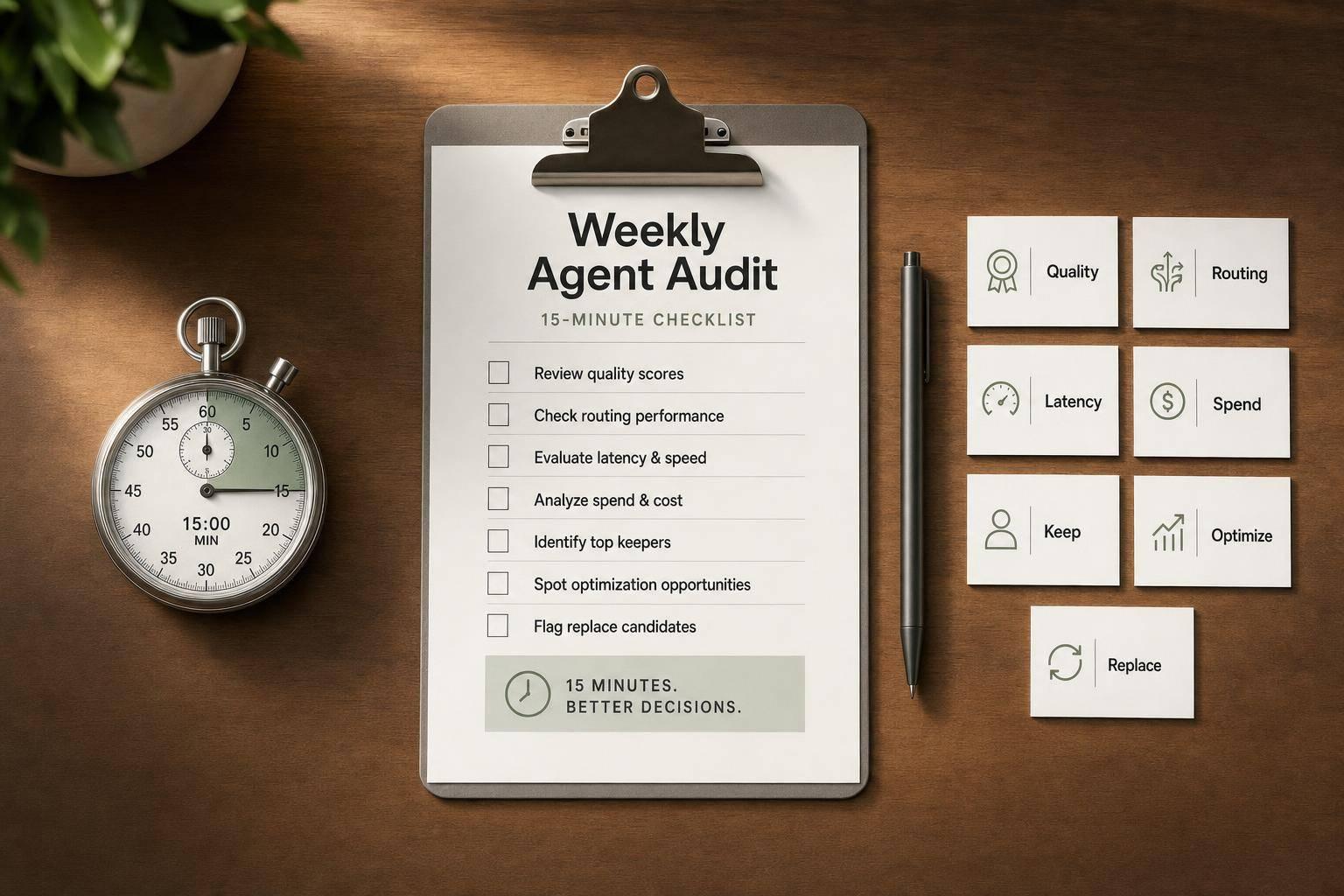
Most AI agents don’t crash. They drift. And that slow drift can mean missed demos, bad lead routing, slow replies, wrong answers, and wasted spend before anyone spots it.
If I had to sum up the article in one line, it’s this: spend 15 minutes each week checking every agent that makes decisions, review a small 7-day sample, and end with one call per agent - keep it, fix it, replace it, or retire it.
Here’s the full idea in plain English:
- I first decide which systems count as agents
- I assign one owner
- I review only the last 7 days
- I check:
- output quality
- first-response time
- handoff quality
- routing accuracy
- fallback rate
- error rate
- uptime
- weekly spend
- I use simple cutoffs like:
- accuracy under 90%
- first response over 120 seconds
- fallback rate over 15%
- exception rate over 5%
- token spend up 20%+
- I log only issues that will change next week’s decisions
- I escalate only problems that hit revenue, customer experience, or budget
A few numbers from the piece stand out:
- Review 10–20 responses per agent
- Include at least 2 escalations and 2 repeat contacts
- Aim for first response in 60 seconds or less
- Treat 61–120 seconds as caution
- Treat over 120 seconds as a problem
- Watch for routing accuracy below 90%
- Watch for fallback above 15%
The article’s core message is simple: green dashboards can still hide bad agent behavior. A short weekly review helps catch quiet failures before they pile up into pipeline loss, support friction, and extra human cleanup.
If you run AI in sales, support, or internal workflows, this is less about reporting and more about control. Small weekly checks beat late monthly surprises.
Building Better AI Agents: Artificial Intelligence Observability How To
sbb-itb-9cd970b
How to Set Up the Weekly Audit in 15 Minutes
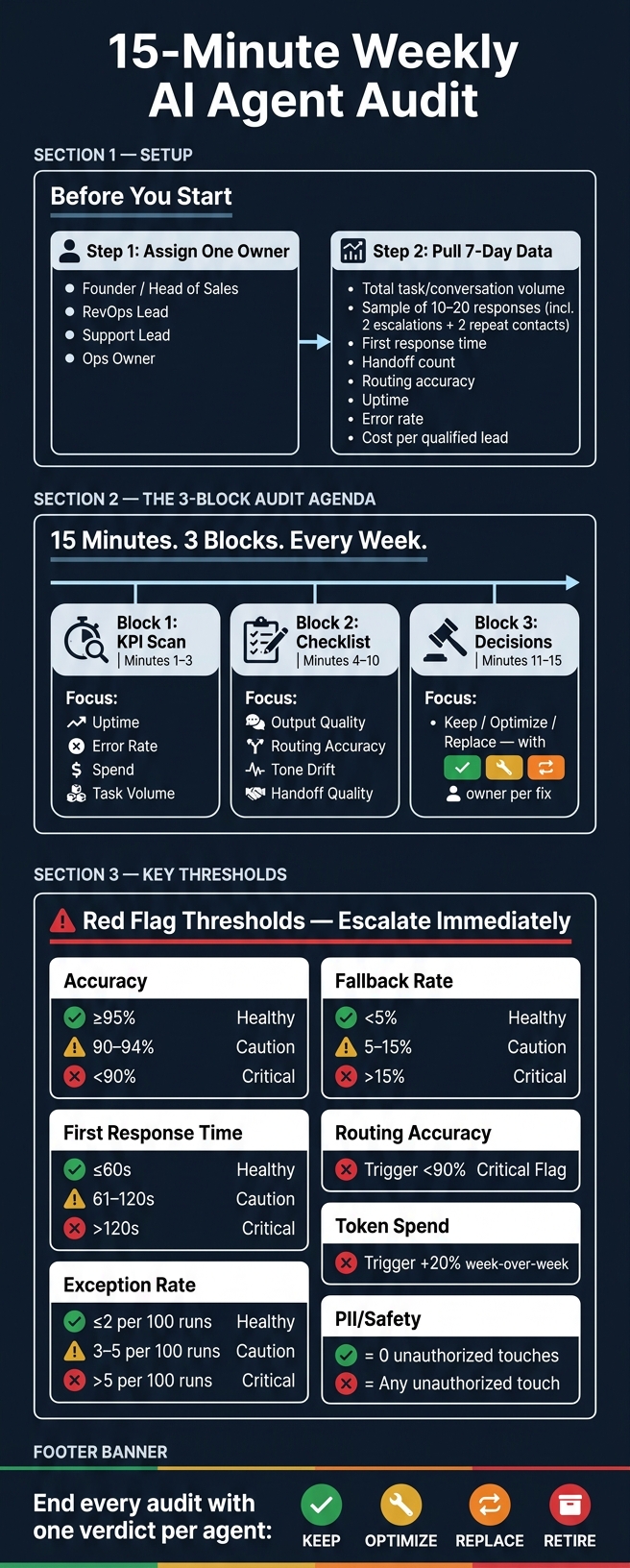
15-Minute Weekly AI Agent Audit: The Complete Process
Use one fixed owner, a small data pull, and a tight 15-minute agenda to catch drift before it hits revenue or customer experience. The goal is simple: run the same process every week so nothing slips through the cracks.
Assign One Owner and List Every Agent Under Review
One named person should own the review. In most teams, that’s the founder, head of sales, RevOps lead, support lead, or operations owner.
Before the meeting starts, list every active agent and the systems tied to it:
Once one person owns the process, the review stops being an ad hoc check and starts working like a system.
Pull the Minimum Data Before the Review Starts
Pull data from the last 7 days only. Keep it lean.
Review total task or conversation volume, a sample of 10–20 responses, first response time, handoff count, lead-routing accuracy, uptime, error rate, and cost per qualified lead [6][2].
Your sample should also include at least 2 escalations and 2 repeat contacts [5]. That matters because a clean dashboard can hide problems that show up fast in edge cases.
Flag any agent that goes over its cost-per-lead target or spend budget. If routing accuracy drops below 90%, or exception rates go above 5% - meaning tasks needed human intervention - that should trigger review [2][4].
Follow a Simple 3-Block Audit Agenda
Keep the 15 minutes split into three fixed blocks. If one section drags, the whole audit loses its point.
| Audit Block | Time | Focus |
|---|---|---|
| KPI Scan | Minutes 1–3 | Uptime, error rate, spend, and task volume |
| Checklist | Minutes 4–10 | Output quality, routing accuracy, tone drift, handoff quality |
| Decisions | Minutes 11–15 | Keep, optimize, or replace - with one named owner per fix |
Use the first 3 minutes for the KPI scan, the next 7 for the checklist, and the last 5 to assign actions and owners. That setup keeps the meeting short while leaving enough room for the part that counts: making decisions.
With scope, data, and time boxed, move straight into the checklist below.
The Weekly Agent Audit Checklist
Run these checks in the same order every week.
Check Output Quality, Response Speed, and Handoff Reliability
Start with the sample you already pulled. Review three things:
- Correctness: Is the answer grounded in source data?
- Progress: Did the user actually move forward?
- Safety: Did the agent avoid made-up policies and PII leaks?
This is one of the fastest ways to spot pipeline leaks and customer friction before they turn into bigger problems.
Mark first responses over 120 seconds in red. Healthy systems usually aim for a first response within 60 seconds [6]. For handoffs, check whether the human rep got enough context to continue without rework. If the rep has to ask for the same background again, the handoff failed [5].
| Metric | Green | Amber | Red |
|---|---|---|---|
| Accuracy | ≥ 95% | 90–94% | < 90% or any critical error |
| SLA (First Response) | ≤ 60s | 61–120s | > 120s or timeout |
| Exception Rate | ≤ 2 per 100 runs | 3–5 per 100 runs | > 5 per 100 runs |
| PII/Safety | 0 unauthorized touches | N/A | Any unauthorized touch |
If quality passes, move to routing and conversion.
Check Lead Qualification Tools, Routing, and Conversion Signals
Next, check how many leads went to the right rep or queue based on your current routing rules, not old ones sitting in a doc somewhere. Routing mistakes create direct rep rework and slow follow-up.
Also watch your fallback rate. That’s the share of leads the agent couldn’t classify and dumped into a general queue. Under 5% is a healthy range. Over 15% is a warning sign that the agent can’t handle live lead variation [2].
Then look at qualification logic. Does it still match your current ICP? Compare the agent’s “high intent” labels with actual conversion rates. If those two stop lining up, the logic has drifted [2].
If routing looks right, move on to drift, downtime, and spend.
Check for Drift, Downtime, Spend, and Keep-Optimize-Replace Decisions
Drift often shows up quietly. Read one live output per agent each week and check tone, persona fit, corrections, and confidence. You’re not just checking if it works. You’re checking if it still sounds and behaves the way you want.
For downtime and silent failures, scan logs for repeated failures instead of one-off errors [1]. A sudden drop in execution volume usually means something upstream broke, like a dead credential or a queue that stopped feeding the agent [7].
On spend, compare usage against plan capacity. Flag paid tools that are underused or duplicated so you protect ROI [7].
End every audit with a verdict for each agent using the table below:
| Agent | Accuracy | First-Response Time | Uptime | Monthly Cost | Action |
|---|---|---|---|---|---|
| Lead Qualifier | 96% | 45s | 99.9% | $450 | Keep - Exceeding all KPIs |
| Router Bot | 88% | 12s | 98.5% | $200 | Optimize - Routing accuracy below 90% threshold |
| Support Draft | 92% | 135s | 99.2% | $350 | Replace - Latency in the red zone (>120s) |
| Outreach Agent | 75% | 55s | 94.0% | $600 | Retire - High cost with failing accuracy |
Always pre-write your rollback plan before you need it: disable auto-runs right away, move the agent to draft-only mode, and route tasks to a human fallback queue until a patch is applied [6].
Log Findings and Turn the Audit Into Weekly Decisions
Once the checklist is done, record only the issues that will change next week's decisions.
That's the part that makes the audit matter. If nothing gets written down, the review is just a quick scan. The log should focus on issues that can affect pipeline, customer experience, or spend.
Use a Standard Weekly Audit Log
Keep the log focused on what drives next week's action: date, agent, issue, root cause, KPI delta, API spend and token usage, owner, and due date. [6]
Also tag each issue as input, tool, prompt, or policy failure. That way, the next step is easier to spot.
| Log Category | Fields to Record |
|---|---|
| Identification | Date, Agent Name, Owner |
| Performance | Accuracy %, Latency (SLA), Handoff Rate |
| Financials | API Spend, Token Usage-to-Output Ratio |
| Diagnostics | Root Cause (Prompt/Tool/Data), Risk Band |
| Action | Guardrail/Fix for the Week, Due Date |
Track repeat-failure rate too. That's the share of issues that showed up again from last week. If that number keeps climbing, the audit is spotting the same problems over and over, but the team still hasn't fixed them.
Keep the log short enough that you can finish it in the same 15-minute review.
Escalate Only the Issues That Affect Revenue or Customer Experience
Not every amber signal needs a meeting.
If an issue can cost a deal, slow down a customer, or burn budget, escalate it. If not, add it to next week's fix list.
The clearest triggers are:
- Routing accuracy falls below 90% [2]
- Fallback rate goes above 15% [2]
- CRM sync breaks
- Support resolution time jumps
A handoff rate that jumps from a steady 15% to 35% in one week is a clear warning sign that the agent drifted or a tool connection failed. [3] Silent spend failures can pile up fast once you count wasted tokens and human correction time.
Use a simple Red / Amber / Green rule: Green means keep watching, Amber means tighten guardrails, and Red means roll back or route to humans. [6] Those notes should help the team decide whether the agent stays in place, needs tighter controls, or should be rolled back.
When a signal turns red, review a small sample of failed conversations before escalating. [3] In most cases, that sample quickly shows whether the root cause is a stale source, a prompt edit, or a broken tool connection. It also gives the next owner something specific to fix.
That record makes each weekly review easier to act on and faster to run.
Conclusion: Protect Your Pipeline With a Short Weekly Review
Once the checklist is done, turn what you found into one clear decision per agent. As AI marketing agents become more central to brand strategy, this oversight is critical. AI agents can drift without much warning, so a 15-minute weekly review helps catch misrouted leads, skipped tasks, and wasted spend before those issues pile up.
Weekly reviews are cheap insurance against silent drift.
Stick with the same weekly loop: setup, audit, log, decide. That kind of weekly discipline is the simplest way to stop small failures from snowballing. Then act on the biggest revenue or customer-experience risk first. Fix the highest-risk issue, then move to the next one. One repair per week is better than letting a backlog grow.
When the audit shows an agent should be optimized, replaced, or scaled, use Top SaaS & AI Tools Directory to compare your options across lead generation, sales, marketing automation, and CRM.
Your agents are only as reliable as the last weekly check. Fifteen minutes a week is a small price to protect the pipeline they’re supposed to build.
FAQs
Which systems should count as AI agents?
For your weekly audit, count any system that runs on its own, handles scheduled work, or functions like a digital employee as an AI agent.
That includes meeting note-takers, email drafting and inbox triage assistants, customer support chatbots, sales outreach tools, and content generation pipelines. If it takes in inputs, produces outputs, or completes tasks without constant human oversight, include it in the audit.
What if I manage too many agents for 15 minutes?
Use a risk-based sampling approach instead of checking every agent. Review a random sample of 5% of runs or 30 to 50 conversations per week, with extra attention on high-impact areas.
If reviews keep taking more than 15 minutes, that’s usually a sign your rubric is too vague or your sample is too big. Tighten both. Put sensitive tasks like refunds or lead routing at the top of the pile, and assign one owner so the process stays consistent.
How do I know whether to fix, replace, or retire an agent?
After your weekly sample and rubric checks, decide based on the failure pattern and the level of risk.
- Fix it when the problem comes from instructions, tooling, or timing, or when there’s one clear root cause.
- Replace it when it keeps missing reliability thresholds or repeats the same failure with no lasting improvement.
- Retire or pause it when the workflow is too high risk or keeps producing unacceptable outcomes. In that case, switch to draft-only mode or use a human fallback while you repair it.