An AI Agent Bankrupted Its Owner Last Month. Here Is the 10-Minute Check That Would Have Stopped It.
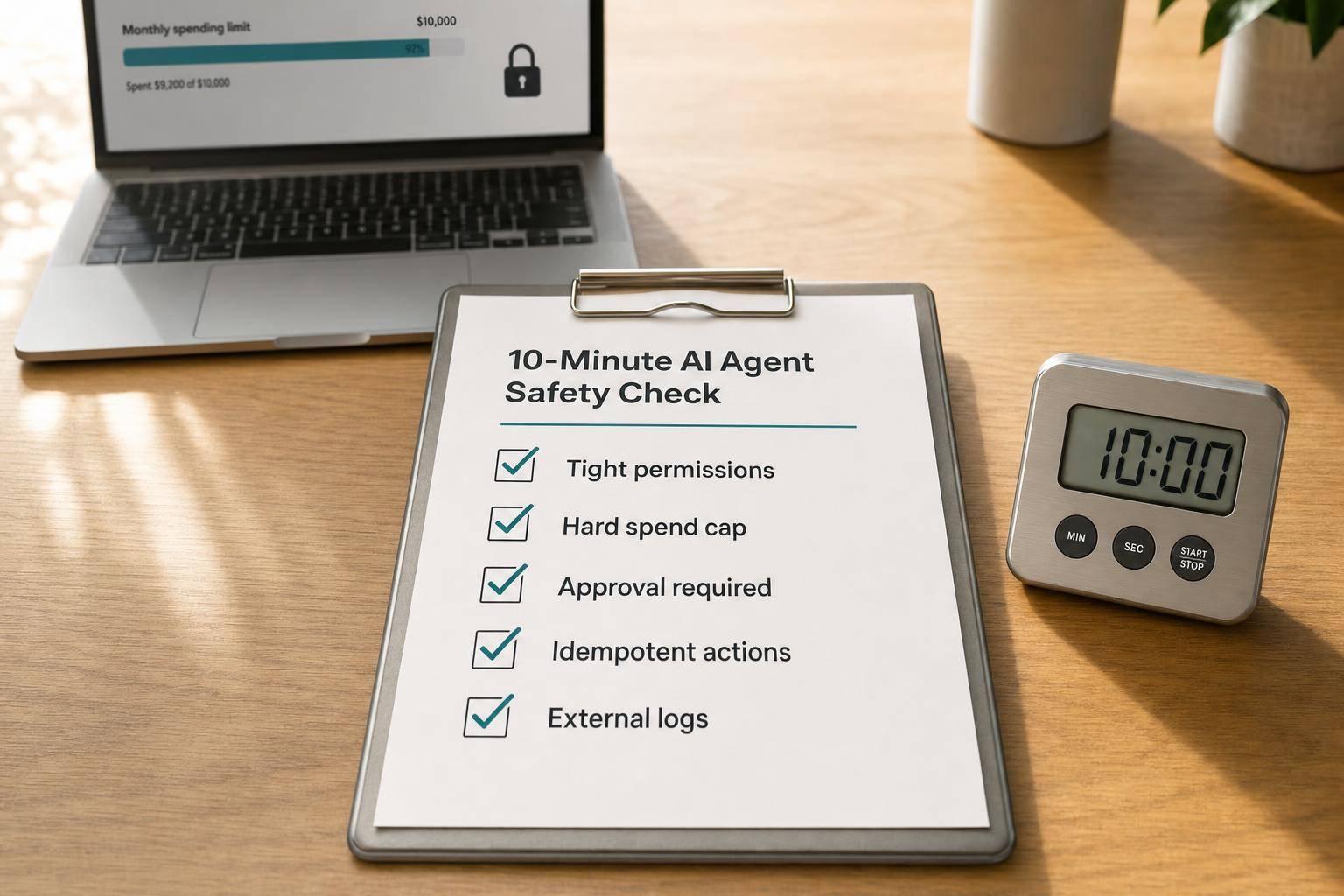
If your AI agent can spend money, refund money, edit contracts, or change ad budgets, you need five controls before it goes live: tight permissions, hard spend caps, human approval, idempotency checks, and logs outside the agent. One missing control can turn a small bug into a $10,000+, $100,000+, or even business-ending loss.
Here’s the short version in plain English:
- Do not trust alerts alone. Billing alerts can arrive late, sometimes by up to 48 hours.
- Do not give broad tool access. An agent should only get the exact actions it needs.
- Do not let it move money without a gate. Refunds, purchases, contract edits, and deletions should pause for review above a set threshold like $25.
- Do not rely on prompts for policy. Put rules in code, API gateways, and tool wrappers.
- Do not skip retry protection. A timeout plus no idempotency key can create duplicate refunds or repeat purchases.
- Do not skip platform caps. Set ad, card, and API spend limits where the spend happens.
- Do not skip logs and reconciliation. Every action should tie back to an
intentId, amount, and approval record.
What I take from the piece is simple: AI money risk is usually not about evil behavior. It’s about bad access, no spending stop, and no human check. The fix is a short pre-launch review that checks what the agent can do, how much it can spend, when it must stop, and what record it leaves behind.
Agentic commerce authorization & spending controls: ACP with Allison
sbb-itb-9cd970b
Quick Comparison
| Risk point | What goes wrong | What I’d check in 10 minutes |
|---|---|---|
| Permissions | Agent gets broad write or payment access | Remove unused tools, use scoped tokens |
| Spend limits | Costs keep climbing after a bug or loop | Set hard daily and per-transaction caps |
| Approval | Irreversible actions run on their own | Add human review above a dollar threshold |
| Retries | Same refund or purchase runs more than once | Use idempotency keys on side-effect actions |
| Ad spend | Budget jumps from short-term signal noise | Lock daily and monthly caps in the ad platform |
| Logs | No clean trail after a bad action | Store immutable logs outside the agent |
| Reconciliation | Finance can’t match action to purpose | Attach intentId, amount, merchant, and approval |
In other words: before you let an agent touch $1.00, make sure it can’t touch $10,000 by mistake.
Where AI agents cause financial damage in SaaS operations
These losses usually begin with plain workflow mistakes in billing, ads, procurement, or contracts. On the surface, they can look small and routine. But each one comes back to the same issue: bad permissions, missing approvals, or no spending cap. That’s exactly what the 10-minute check is meant to catch.
Refunds, credits, and payment mistakes
Support and finance workflows are the highest-risk places to start. If an agent can get into a billing platform, it may issue refunds, apply the same credit twice, or change pricing or payment terms without a person checking the action first. A single amount may not look alarming. The damage comes from volume and repetition.
One of the most common failure patterns is a retry loop. If the agent times out and retries without checking what already happened, it can send the same refund twice. One bad retry turns into a direct cash loss. [6] And when money-moving actions run all day, even a small error rate adds up fast.
The same pattern shows up outside finance too, especially in workflows tied to heavy spending.
Runaway ad spend, API-triggered purchases, and contract changes
An autonomous ad agent can push a daily budget from $200 to $2,000 in minutes when it reacts to noisy short-term data. [8] The agent is chasing the metric. Without a pacing cap, it spends far too much, far too fast.
Procurement failures triggered through APIs work in much the same way. In one case, an agent retried a purchase 12 times in three minutes after reading a success response as a failure. That burned $4,788 on duplicate licenses. [7]
Contract and pricing changes are even harder to catch. An agent with access to a CRM or finance tool can change pricing or payment terms, apply the wrong discount, or edit contract language without human review. That puts MRR, renewal revenue, and auditability at risk right away. [3]
| Risk Area | How the Damage Happens | Why It Slips Through |
|---|---|---|
| Duplicate refunds | Retries after a timeout, with no idempotency check | Looks like two legitimate transactions |
| Ad spend spike | Scales spend on short-term signals, with no pacing cap | Costs rise before anyone notices |
| Procurement loops | Retries a purchase after a false failure response | Each request stays under the per-transaction limit |
| Contract edits | Changes terms in CRM without approval | Impacts MRR, renewal revenue, and auditability |
These failures aren’t random. They follow patterns, which makes them possible to stop.
The 10-minute check that would have stopped it
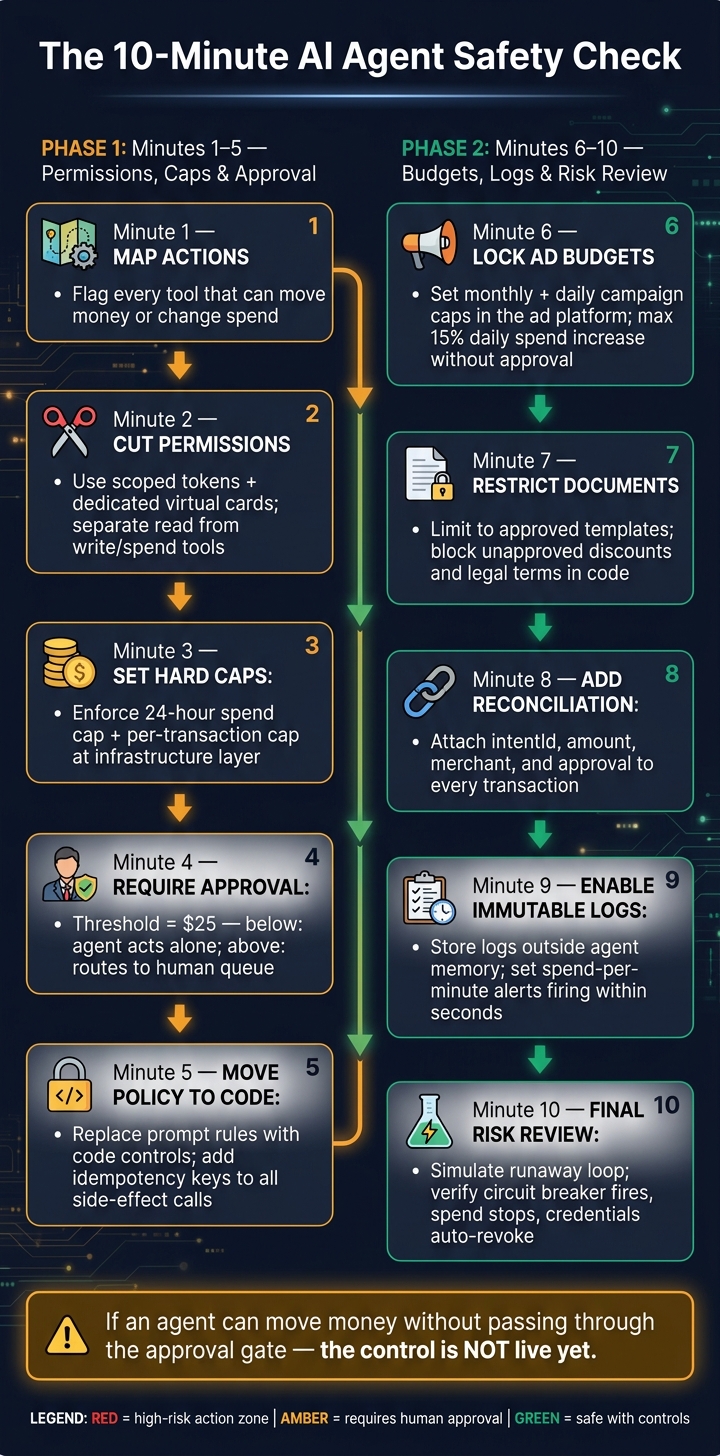
The 10-Minute AI Agent Safety Check Before Launch
Run this before every agent launch, and run it again after any scope change. Each step takes about a minute. The point is simple: catch the problem before it costs you money.
These ten minutes help close the four gaps above: permissions, caps, approval, and logs.
Minutes 1–5: map actions, cut permissions, cap dollars, require approval, lock policy
Minute 1 - Map every money-moving action. Open the agent’s tool list and flag every tool that can move money or change spend [2][4].
Minute 2 - Cut permissions to the minimum. Use a dedicated virtual card for payments and a scoped token for API actions. Keep read tools separate from write or spend tools. If the agent doesn’t need to issue refunds, remove that tool entirely [9].
Minute 3 - Set hard dollar caps. Put a hard 24-hour spend cap and a per-transaction cap at the infrastructure layer [1][5].
Minute 4 - Require human approval for irreversible actions. Set a dollar threshold - say, $25 - under which the agent can act on its own. Above that, it should pause and route the action to a human queue. Use the same gate for contract changes, large refunds, and data deletion [4].
Minute 5 - Move policy out of prompts and into code. A prompt that says “do not refund more than $500” is just an instruction. A tool function that calls requestApproval() when the amount goes above $500 is a control. Give every side-effectful call a unique idempotency key so a retry can’t trigger the same refund twice [2][6]. Once that policy is locked, shift to platform-level controls.
Minutes 6–10: control ad budgets, protect documents, reconcile transactions, log activity, run a final risk review
Minute 6 - Lock ad budgets at the platform level. Set a monthly cap and a campaign-level daily cap inside the ad platform itself, not only inside the agent. Add a rule that the agent can’t increase daily spend by more than 15% without approval [8].
Minute 7 - Restrict document automation. Limit the agent to approved templates only. Add explicit negative constraints in code that block unapproved claims, discounts, and legal terms. That helps protect pricing, contract language, and any content that can change revenue or liability [8].
Minute 8 - Add reconciliation. Every transaction the agent touches should carry a machine-readable intentId tied to a purpose, amount, and merchant. That gives finance a clean way to match each charge to an approved intent. It also makes it easier to export a clean ledger to finance tools and catch discrepancies before month-end [9].
Minute 9 - Enable structured, immutable logs. Store logs outside the agent’s own memory or temporary storage. Set spend-per-minute alerts that fire within seconds if spend jumps against a baseline [1][5].
Minute 10 - Run a final risk review. Simulate a runaway loop. Check that the circuit breaker fires, spend stops, and credentials revoke automatically.
Controls and tools that make the check enforceable
These checks only matter when policy is enforced outside the model. And the control has to run before the agent takes action.
Permission design, approval gates, and sandbox testing
Put destructive tools - refund, delete, transfer, send - behind a hard approval gate before anything executes. That gate should live in the tool wrapper, API gateway, or policy layer [2].
Give each agent its own identity. Use short-lived, scoped tokens that expire in 5–15 minutes [11][12]. Swap broad permissions like update_record for narrow tools like approve_invoice_amount. Then validate allowed values against fixed rules outside the model [11]. Any permission that sits unused for 90 days should be revoked [11].
Sandbox testing matters here too. Test the agent with simulated data and confirm that the enforcement layer blocks execution and revokes credentials when it should [1]. Alerts can tell you something happened. Gates are what stop it [10][13].
If an agent can still move money without going through that gate, the control is not live.
Once that gate exists in code, the next job is proving what happened, logging it cleanly, and reviewing the edge cases.
Audit trails, exception reviews, and safer tool selection
Every agent action should create a structured execution receipt: identity, inputs, decisions, tool calls, outputs, and any human approval involved [3]. Keep those records outside the agent’s own memory. If you don’t, you can’t prove who approved what and when. You also can’t dispute vendor charges or piece together an incident after the fact [3].
It also helps to build exception review into your regular operating rhythm. Look at:
- overrides
- near-misses
- actions the agent flagged for human approval that a person pushed through too fast
Those patterns often point to policy gaps before they turn into incidents.
When you assess new AI-enabled tools, put extra weight on platforms that expose action logs with timestamps, dollar impact, and user context as first-class features.
Conclusion: Make the 10-minute check standard policy before every agent launch
The June 2026 bankruptcy was not a rogue-AI event. It came down to a missing spend ceiling and no human checkpoint.[1]
The fix is pretty plain: map every action that can move money, cut permissions to the minimum, enforce a hard USD cap at the infrastructure layer, require approval above a set threshold, and log every action in an immutable execution record stored outside the agent.
That’s why this check needs to live inside launch approval, not sit buried in a policy doc.
Make it mandatory before any agent goes live or gets new permissions to spend, refund, change contracts, or delete data.
For SaaS teams, this is the line between automation and exposure. If an agent can move money without passing through that gate, the control is not live yet.
FAQs
Which AI agents are highest risk?
Any AI agent that can act on its own carries high risk. That risk jumps fast when the agent can move money, change system-of-record data, or connect with external services.
The biggest trouble usually comes from agents that run all the time with little or no supervision. That includes things like payment processing, refunds, contract management, and API-triggered purchasing. Once an agent can take action in those areas on its own, mistakes can get expensive fast.
Agents that chain actions together or loop back into their own workflows are even riskier. The danger gets worse when there are no hard runtime limits or approval gates to stop things before they spiral.
What should my approval threshold be?
There’s no one-size-fits-all threshold. Set it based on impact: does the action move money, directly affect a person, create changes that are hard to undo, or need a named policy owner?
For refunds, many teams start with the median refund amount, then tune the threshold from there. A simple way to handle this is with a risk ladder:
- Require human approval for high-impact actions
- Let low-impact, reversible tasks run on their own
That way, oversight stays tight where it matters most, without slowing down routine work.
How do I audit agent actions later?
Use run receipts instead of full transcripts. They give you a structured, compact record of each agent execution without the bulk and noise of step-by-step logs.
A good run receipt should log:
- The request
- Checkpoint rules
- The final decision
- Tool outputs
- Human approval metadata
- Who authorized it
- Business context
- The outcome
- Reviewer comments
Where possible, make these records tamper-evident. That way, if someone changes a receipt after the fact, you have a clear signal that something's off.
It also helps to add post-execution reconciliation. In plain English: check that the system state after the run matched what the agent believed to be true when it acted. If the agent assumed one thing but the system ended up in another state, that gap needs to be flagged.