The Old Way: Visual Workflow Builders. The New Way: Describe It in English. It Ships. Search Engine Land What That Means for Your Marketing Stack.
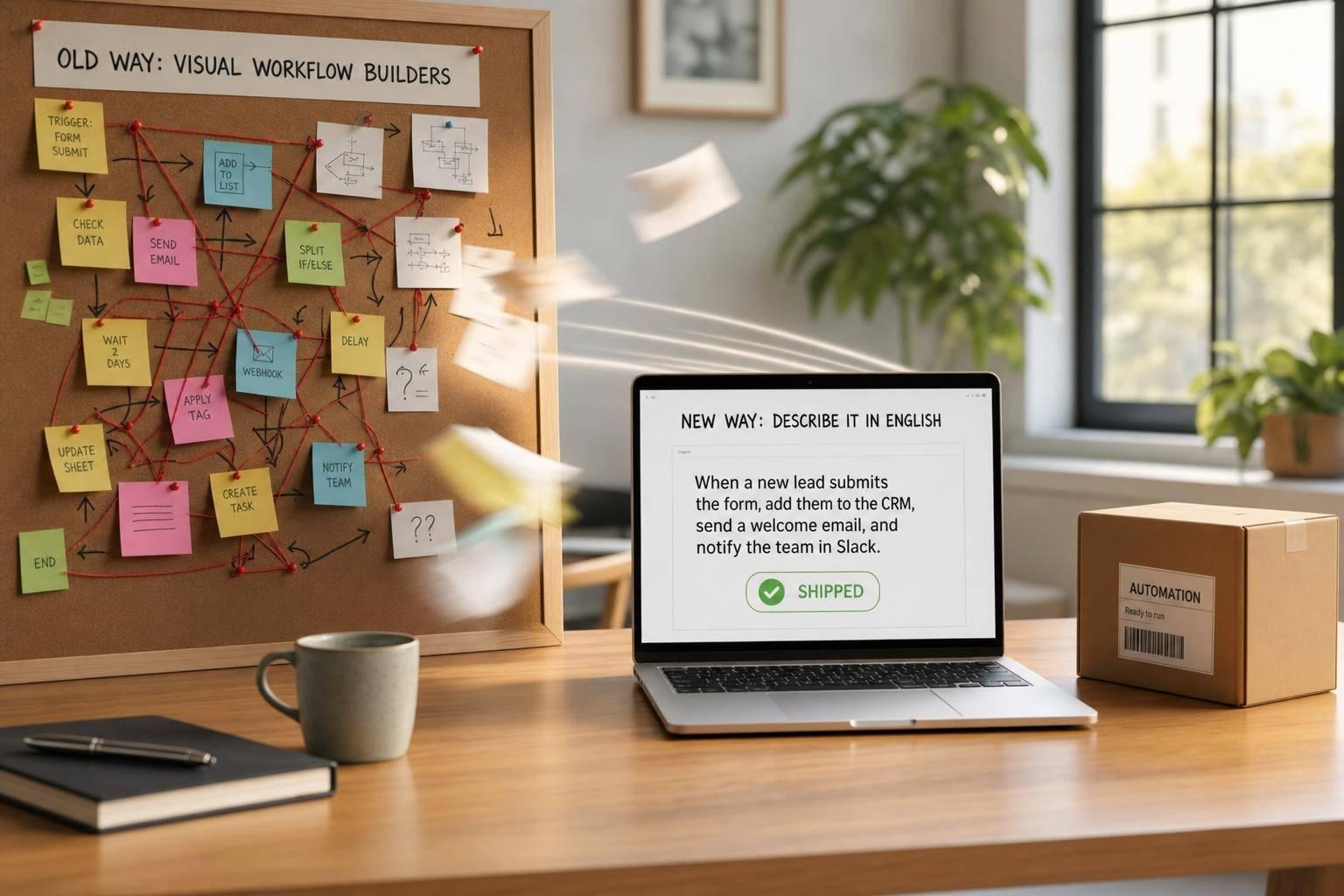
Marketing teams are moving from building automations step by step to writing what they want in plain English. For teams using HubSpot, Salesforce, Zapier, Make, and AI tools together, that shift can cut setup time from hours or days to seconds or minutes while reducing the manual work tied to broken fields, API issues, and slow lead handling.
Here’s the short version:
- I see two models: the old one is visual and step-by-step; the new one is prompt-based and goal-first.
- The big pain with visual builders is not the first workflow. It’s maintaining dozens of flows as data, tools, and rules change.
- This matters now because 34% of marketing teams use at least one autonomous agent, up from 14% in 2025, and 88% of executives plan to spend more on AI agents in the next 12 months.
- The strongest early use cases are lead routing, nurture flows, CRM cleanup, and reporting.
- Teams using AI-based lead routing see 48% faster average response time.
- AI-personalized email drives 41% higher click-through rates and 29% higher conversion rates than standard drip campaigns.
- I would keep CRM systems like HubSpot and Salesforce as systems of record, then place natural-language automation on top as a control layer.
- I would not replace every Zapier or Make flow at once. Simple handoffs can stay rule-based. Context-heavy work is where AI agents fit best.
- Before rolling anything out, I’d set rules like human approval for high-risk actions, access limits, review logs, and a 30-day shadow mode test.
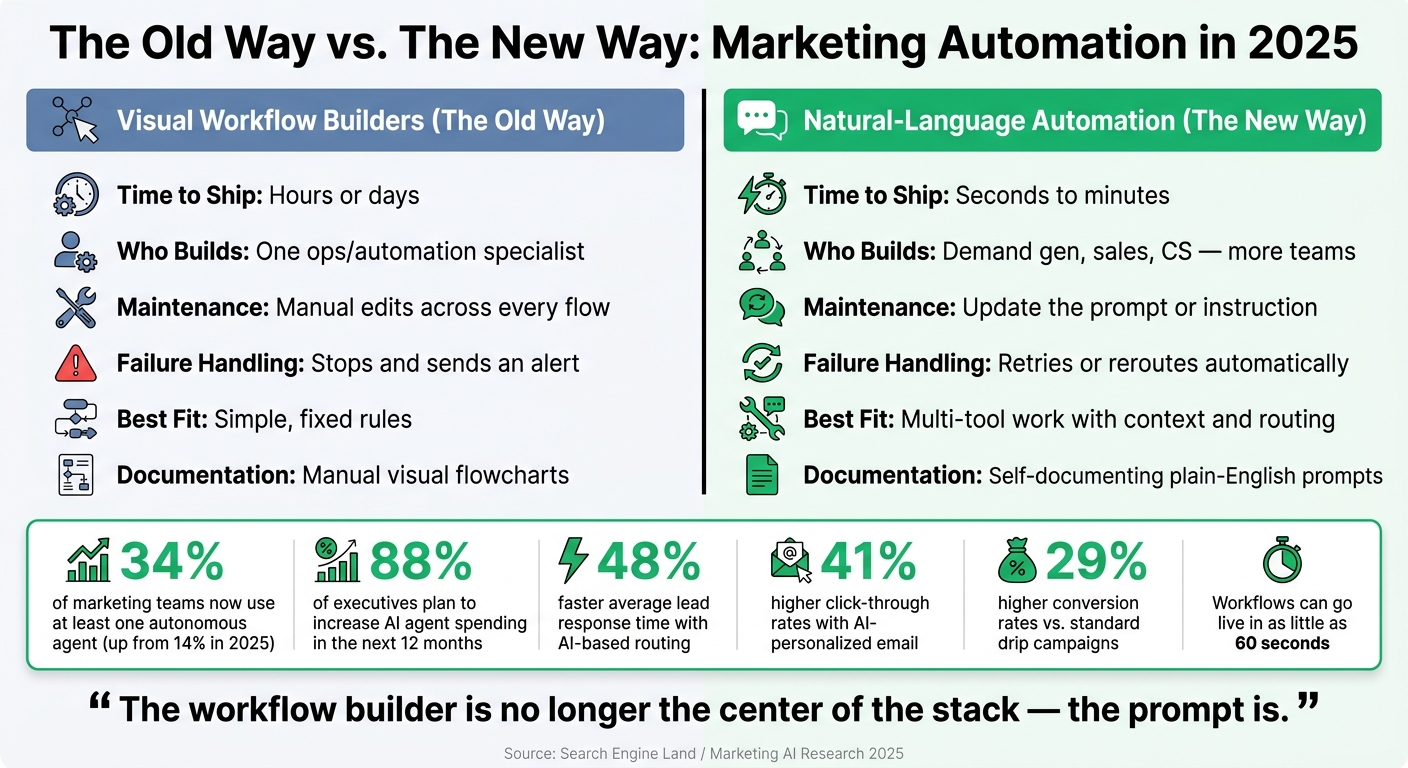
Visual Workflow Builders vs. Natural-Language Automation: Key Differences & Stats
How to Integrate AI Into Your Marketing Workflows (3 Systems You Must Try)
sbb-itb-9cd970b
Quick Comparison
| Area | Visual Builders | Natural-Language Automation |
|---|---|---|
| How work gets built | Click nodes and define each step | Describe the result in English |
| Time to ship | Hours or days | Seconds to minutes |
| Who usually owns it | One ops or automation person | More teams can build directly |
| Changes and fixes | Manual edits across flows | Update the prompt or instruction |
| Failure handling | Stops and alerts | Can retry or take another path |
| Best fit | Simple, fixed rules (like those in ActiveCampaign) | Multi-tool work with context and real-time lead qualification routing |
If I had to sum it up in one line, it’s this: the workflow builder is no longer the center of the stack; the prompt is.
The core problem with visual workflow builders in modern marketing stacks
Visual workflow builders gave marketers a way to connect tools without writing code. That part worked.
But once the stack gets bigger, the cracks start to show. Data changes. Tools get swapped out. More systems start depending on each other. The canvas may make a workflow easy to see, but that doesn't make it easy to maintain.
The hard part isn't building one workflow. It's keeping dozens of them working as the stack keeps changing.
Why no-code workflows become slow and fragile at scale
Under the hood, these systems still rely on step-by-step logic. And that logic gets brittle fast.
In marketing, schema changes, field updates, and rule changes can quietly break automations, send blank values downstream, and mess up CRM or reporting data [4][6]. When data structures change, the workflow is often still tied to an older version of the stack, not the one the team is using now [7].
As those dependencies pile up across dozens of connected flows, things get messy. Workflows turn into tangled systems that need constant manual fixes just to stay up and running [4][9]. That's the gap natural-language automation is meant to close.
How workflow complexity hurts pipeline and team output
The hidden cost shows up in team reliance on a single automation owner.
Complex visual workflows often turn into black boxes that only one person fully understands. If that person is out, lead routing slows down, nurture sequences stall, and campaign work gets stuck waiting [3].
So even if the stack looks connected on the surface, it often gets more fragile underneath every time the team adds a new tool, changes a field, or tries to move faster.
That's why this next shift matters: marketers can now describe the outcome in plain English, and the workflow gets built for them.
The new model: natural-language automation and AI agents
This shift isn't only about getting set up faster. It changes the interface itself. Instead of building workflows step by step in a visual editor, teams can delegate in plain English: describe the outcome, and the system generates the workflow.[1][2]
How plain-English workflow creation works
Say a marketer wants to keep HubSpot and Salesforce in sync. They describe the result they want. From there, the system connects the needed APIs, maps fields, deduplicates records, tracks workflow state, adds retries, and deploys the flow.[2][7] In some cases, workflows can go live in as little as 60 seconds. And when something needs to change, the team updates the text description instead of clicking through a stack of UI modals.[1][3]
The system also understands the difference between a HubSpot contact, company, and deal, so it can update records without creating duplicates.[7]
Speed is a big part of the appeal. But the larger shift shows up when the workflow runs into messy data, a broken API, or a process that changes halfway through.
What AI adds beyond faster setup
Old visual builders tend to stop when a step fails and send an alert. AI-driven systems can take another route to reach the goal, changing course during execution when inputs shift.[8] That's a big deal in day-to-day operations, where perfect data is rare and systems don't always behave.
For higher-risk or regulated tasks, teams can use shadow mode. In that setup, agents suggest actions for a set period, such as 30 days, before full autonomous execution is turned on.[9][4]
Compared with visual builders, natural-language systems cut setup time, handle schema drift better, and recover from failures with less manual work.
"The workflow editor is the bottleneck that's left over from a world where it had to be the user." - Gravity Team [1]
That matters most in marketing workflows, where delays and errors hit pipeline directly.
High-impact use cases for natural-language automation in marketing
Start with repetitive workflows that span multiple tools, follow clear rules, and still eat up manual time. These are the jobs that shape speed-to-lead, data quality, and day-to-day campaign execution.
Lead routing, nurture flows, and CRM hygiene
Lead routing is one of the easiest places to see the payoff. Instead of building a long branching tree in a visual editor, a team can simply describe the outcome: "Assign high-intent technical leads to reps with the highest technical win rate and available capacity." The system then turns that request into routing logic. AI-based lead routing leads to a 48% faster average response time than older methods.[10]
Nurture flows work much the same way. Static drip campaigns send the same email on the same schedule to everyone. AI-driven sequences pick the next message, timing, and content based on how each contact is engaging. Companies using AI-personalized email get 41% higher click-through rates and 29% higher conversion rates than standard drip campaigns.[10]
Addressing common CRM problems like data hygiene is another big one. Bad data spreads fast, and once it does, pipeline work gets messy. AI agents can summarize meeting notes, pull out action items, and update CRM fields such as "Budget" and "Timeline" without manual entry. They can also validate records, flag missing fields, and deduplicate messy data before it moves across the stack.[6][7]
Reporting and orchestration across the stack
Reporting is another area where the manual work just doesn't make much sense anymore. If a marketer wants a weekly summary of ad spend versus conversions across Google and LinkedIn, they no longer need to open multiple dashboards, reconcile numbers, and format the report by hand. The request can be written in plain English: "Generate a weekly summary of ad spend vs. conversions across Google and LinkedIn." AI agents can read and write workspace data directly, which cuts down on the need for many point-to-point integrations.[6]
The same idea works for orchestration across HubSpot, Salesforce, and Slack. One natural-language instruction can trigger coordinated updates across the stack.[6]
At that point, the issue isn't whether this can be done. It's how the stack should be set up.
Which use cases to prioritize first
Start with lead routing, nurture, CRM hygiene, and reporting. Focus first on the workflows that break most often or take the most manual effort.
Then comes the stack question: what to keep, what to extend, and what to replace.
How to update your marketing stack and operating model
That brings up the practical part: what stays in place, what changes, and where do you need rules?
What to keep, what to extend, and what to evaluate
HubSpot, Salesforce, and other core platforms should stay where they are as systems of record. Natural-language automation sits on top of them as a control layer. It reads from those systems, works through context, and takes action across tools without forcing your team to manually connect every step. In plain terms, this is a control layer, not a CRM replacement. That distinction matters because it speeds up work without forcing a full rebuild of your stack.
When you're deciding what to extend or replace, focus on four areas:
- Integration coverage: can the layer reach the tools it needs?
- Reviewable logs: can you audit what ran?
- Role-based controls: can you limit what each agent can touch?
- Observability: can you see how a decision was made?
A lot of AI agents operate with far more access than they should. Lock that down before you scale anything.
Before you replace existing Zapier and Make flows, audit them first. Keep rule-based automation for simple data handoffs. Use AI agents for work that needs context, judgment, or routing decisions. [6][11]
Once the stack is sorted out, the operating model has to shift too.
How teams and governance need to change
In the old setup, one automation specialist owned the queue. Everyone else sent requests and waited. In the new setup, demand gen, sales, and CS can each ship their own workflows, while IT or a senior ops lead sets the guardrails. The point isn't more automation for its own sake. The point is faster execution across lead flow, data quality, and reporting.
That only works if governance keeps pace. Use human approval for high-stakes workflows, especially anything tied to deal data, financial reporting, or regulated contacts. Set direct prompt limits such as "never send more than 3 emails per week to any contact" or "flag any lead with a deal size over $50,000 for manual review," and run new agents in parallel for 30 days before cutover. [4][1][10]
"The businesses that flourish with this aren't going to be the ones who just try it out; they're going to be the ones who map their processes first and then build intentionally." - George B. Thomas, Speaker and HubSpot Expert [5]
Conclusion: Where natural-language automation creates the most value
The shift becomes a lot clearer when you put the old and new models next to each other.
| Dimension | The Old Way (Visual Builders) | The New Way (Natural Language) |
|---|---|---|
| Time-to-Ship | Hours or days configuring nodes | Seconds to minutes describing intent |
| Primary Contributor | Specialized automation/ops lead | More people can build across demand gen, sales, and CS |
| Documentation | Manual/visual flowcharts | Self-documenting plain-English prompts |
| Maintenance Burden | Manual updates for every API or field change | Agent adapts to schema drift and context |
| What success means | Did it improve pipeline or team output? | Did it improve pipeline or team output? |
Start by cleaning your CRM data. Then pilot one high-friction workflow, such as lead scoring, and define the business outcome in plain English before you ship.
FAQs
How does plain-English automation actually work?
Plain-English automation adds a large language model-powered intelligence layer that understands what you want to do. So instead of building a rigid workflow with triggers, steps, and if/then rules, you just describe the outcome.
For example, you might say you want to clear an inbox or route a lead. From there, the system figures out the steps, handles errors, keeps track of state, and makes the API calls it needs to get the job done.
Because it understands the business context, it can adjust in real time without forcing you to rebuild visual logic every time something changes.
Which workflows should we automate first?
Start with high-frequency tasks where people usually have to stop, think, and make a call.
Put these first:
- Lead management
- Personalized nurture
- Campaign operations
- Tool orchestration
These are often the best places to begin because they involve judgment, context, and several moving parts, not just a fixed chain of actions.
For high-stakes, regulatory, or irreversible work, stick with step-by-step automation. In those cases, exact hard-coded sequences are still the safer choice.
What guardrails do we need before using AI agents?
Before you put AI agents to work, set clear guardrails around goals, limits, and how much freedom they have. People should decide what the agent is allowed to do, where it has to stop, and how its work will be checked for safety and performance.
It also helps to test what level of error is acceptable by comparing the agent’s output against human benchmarks. If compliance or accountability is on the line, decisions should be auditable and explainable. MarTech-native agents add another layer of protection by checking data and flagging problems before anything goes live.